openBIM is a way of working with BIM that uses open, vendor-neutral standards, so every team can share, use and check the same information whichever software it uses. The standards come from buildingSMART International: IFC for models, BCF for issues, IDS for requirements and the bSDD for shared definitions.
If you're in the design and construction industry, then you might have heard of openBIM - but what actually is openBIM? And more importantly, why should you care? This article introduces 10 things you must know about openBIM, plus the open BIM standards at a glance and how to start using them on your next project.
1. What exactly is openBIM, and how does it work?
OpenBIM basically means working with Building Information Modeling (BIM) using open software, processes, and standards.
Open BIM seeks to increase integration and efficiencies for all design and construction professionals by making it easier to exchange information.
OpenBIM is also aligned with the ISO 19650 series, the international standards for producing and managing Building Information Modeling (BIM) information. ISO 19650 says how information is managed; openBIM gives you the open formats to exchange it in.

Can you tell from my T-Shirt how much I like openBIM - or maybe it's my mug that gives it away?

I'm a big fan of simplicity, so I like the analogy from Mark Baldwin, who compares it to writing documents in Word but sending them as a PDF (an open standard supported by many free tools) so that anyone - even without Word - can open and review them.
Can you modify an IFC file? Spoiler alert: YES - see point 5.
As Dion Moult puts it, openBIM is closer to the Open Document Format, because it promotes interoperability and allows updates.
For BIM, this lets every stakeholder use a shared BIM model rather than recreating geometry and data in multiple tools.
The opposite is often called closed BIM: everyone uses one vendor's tools and native files. Fine inside one firm, but a project team rarely uses the same software end to end.
Open BIM data can change the way we communicate in the design and construction industry, and I believe it is something you should be paying attention to!
2. Where did openBIM standards come from?
OpenBIM comes from buildingSMART International, a not-for-profit alliance of software developers, designers, construction companies, owners and other interested parties. It started in the mid-1990s as the International Alliance for Interoperability and took the name buildingSMART in 2005; the term openBIM itself was launched by buildingSMART and a group of software vendors in 2012.

Its goal is to develop open standards for information management in the construction industry.
The first version of IFC, its best-known standard, was published in 1996, and IFC2x3 (2006) is the version that took openBIM mainstream. Today plenty of BIM software tools support it, each with its own strengths.
buildingSMART keeps a list of software that implements IFC and its other standards - over 200 products, with a smaller group formally certified by buildingSMART.
Plannerly (The BIM Management Platform) is proud to be part of openBIM as a buildingSMART partner: it reads IFC models, connects to the bSDD and exports your requirements as IDS.
Check out buildingSMART's complete list of openBIM software.
3. openBIM and IFC: what is IFC in BIM?
When a project needs several designers to work on files in different formats and exchange information quickly and accurately, BIM interoperability is put to the test.
After all, what should you do if you are the Architect working in Revit (using the .rvt file extension) and someone sends you a .pln file (an ArchiCAD file)?
This is where openBIM IFC (Industry Foundation Classes) steps in!
IFC is the open standard that defines how BIM data should be structured: the elements (walls, doors, pipes), their geometry, their properties and how they relate to each other.

The official IFC schema is an ISO standard: IFC4 was published as ISO 16739-1:2018, and IFC 4.3 has since replaced it as ISO 16739-1:2024.
Simply put, you can exchange information between any two BIM programs that support IFC - a massive advantage, because you can use the best software for each task.
What does this all mean for you? If you want to be part of the future of design and construction, start learning about IFC BIM models: what they contain and which version to use - and openBIM!
4. Your Brief IFC Timeline/History
- In 1996 the first version of Industry Foundation Classes was published - aptly called "IFC 1.0"
- 2006 brought the most well-known version of IFC - "IFC 2x3" - yeah, I know the IFC naming convention just got weird. It's still widely used for coordination.
- In 2013 IFC4 debuted with modifications and updates, and became the first ISO edition (ISO 16739)
- In 2022 IFC4.3 was submitted to ISO with additions for rail, roads, bridges, ports and waterways, and in 2024 it was published as ISO 16739-1:2024

The future of IFC is IFC5, still in development at buildingSMART. The IFC data schema must develop with industry trends towards digital twins and be less focused on file-based approaches - read more in Future of the Industry Foundation Classes: towards IFC 5 (opens in a new tab).
5. Can you edit an IFC BIM file?
IFC sounds very official, probably inflexible, non-proprietary (which is good), and likely uneditable - right? Let's debunk a misconception I hear all the time.
So if IFC is like a PDF - it's NOT editable - right?
IFC files can not be modified; thus, they're completely useless! Right?
This is FALSE. IFC files can be modified if desired.
The IFC standard defines a BIM data model, not a user interface. That means different openBIM programs can present and use the same IFC data in different ways - and edit it!
One program might show an IFC file as objects in 3D, another as a table of properties - and both can edit it.
What doesn't work well is round-tripping: exporting a native file to IFC and importing it back into the native tool as if nothing happened. So if you want to edit an IFC file, use software that works with IFC natively.
What software is that, I hear you ask?
6. BlenderBIM (now Bonsai)
An excellent option is BlenderBIM - renamed Bonsai in 2024 - which lets you create, edit, and export IFC files natively.
It's free and open-source, runs inside Blender, and is gaining in popularity - we believe it has a lot of potential!

It might still lack some features found in other BIM software, but it's improving faster than many popular tools.
If you're interested in learning more about BlenderBIM (Bonsai), go to the OSArch community or watch some of Dion Moult's excellent videos.
We believe open-source software like this will play a significant role in the future of openBIM! But openBIM is not just about software...
7. Coordination of People, Processes, and Tools
One of the goals of openBIM is to promote collaboration between disciplines, such as architects, engineers, and construction managers.
OpenBIM is not just about software or standards.
It is also about people and processes.
To do this, openBIM promotes a collaborative model-based coordination workflow, where all disciplines work together to create one federated BIM model that fits together without errors, omissions, and clashes. Everyone on the project can then use it to coordinate their work and avoid conflicts.
That reduces errors, saves time and gets disciplines talking - which can only be a good thing! The free lesson on federation strategy and the CDE shows how to set it up.
But how does openBIM help here specifically? Well, that's where BCF comes in...
8. What is BCF?
The BIM Collaboration Format (BCF) is a structured XML format (a .bcf file, or a server-based setup) used for issue tracking.

A BCF issue captures information about a problem directly referencing a 3D view: a PNG snapshot plus the camera viewpoint and the IFC elements involved.
What does this mean? Well, it's primarily a picture of the BIM issue along with a description of what's wrong.

The right person opens the same view in their own software and fixes it faster.
BCF is used with both authoring and coordination software:
- The authoring software reads BCF issues and shows modellers where the problem is. Vectorworks, ArchiCAD, Tekla Structures, Quadri and DDS CAD are some of the authoring tools with native BCF support.
- The coordination software provides an interface for managing and tracking issues. Tools that use BCF include BIMcollab Zoom, BIM Track (now part of Newforma), Trimble Connect, Solibri and Bimsync (now Catenda Hub).
BCF was first designed as a file-based transfer, but many server-based workflows now use the BCF API instead.
Using BCF to coordinate BIM changes is an essential part of openBIM.
The openBIM standards and data formats at a glance
IFC and BCF come first, but buildingSMART publishes a family of open BIM standards that work together:
| Standard | What it's for | Format |
|---|---|---|
| IFC (ISO 16739-1) | The model: elements, geometry, properties and relationships | .ifc, .ifcXML, .ifcZIP |
| BCF | Issues and clashes, with a viewpoint, passed between tools | .bcf file or the BCF API |
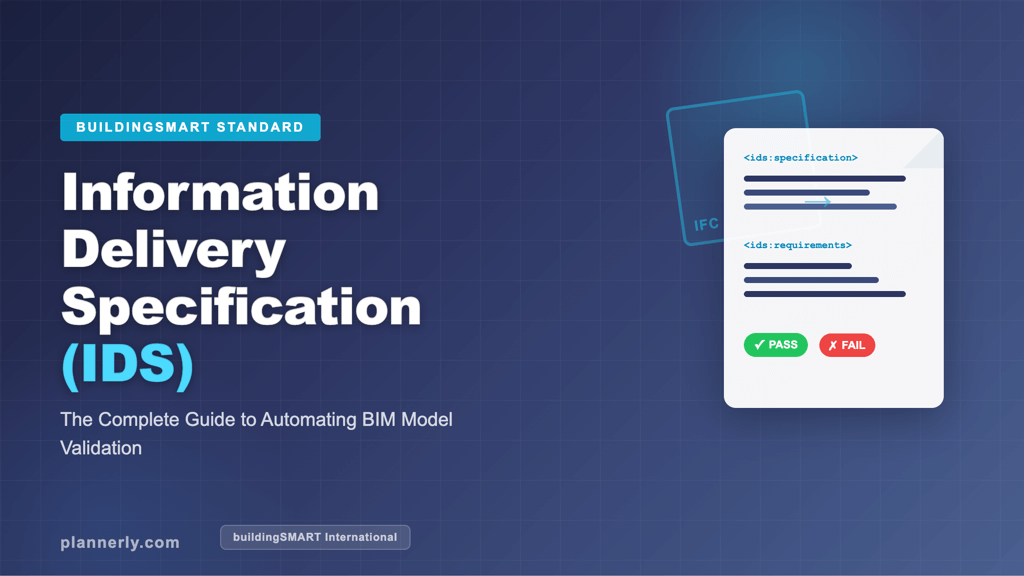
| IDS | The information requirements a model must meet, as a file checking tools can read | .ids (XML) |
| bSDD | Shared definitions of classifications and properties, so everyone means the same thing | Online dictionary |
| IDM (ISO 29481) | Who delivers which information at each step of a process | Process maps |
| OpenCDE APIs | Let common data environments and other tools exchange documents and issues | Web APIs |
Want to go deeper? The complete guide to IDS explains the newest member of the family, the free lesson connecting to bSDD from buildingSMART shows the dictionary in use, and the openBIM and buildingSMART standards slides (PDF) (opens in a new tab) are free to download.
9. What are some of the challenges with openBIM formats and IFC?
While many in the industry believe openBIM is essential, some skeptics still exist. A few years ago, this song about IFC being useful for "absolutely nothing" was shared!

The skepticism comes from a history of complexity and workarounds. New terms like openBIM, IFC and BCF intimidate people, and teams fear losing data between applications - exporting IFC from Revit into Archicad can lose information created natively, and not all software supports the IFC version you need.
IFC is very useful once you know its limits: agree the version and export settings up front, and test the exchange early.
There are also some critical initiatives from buildingSMART, like the OpenCDE APIs, an open way for CDEs (Common Data Environments) to exchange documents and issues - and IDS, which tackles the other half of the problem: did we get the information we asked for? More on all of these in other blogs!
10. How can openBIM benefit my company and me?
We all know collaboration is essential on design and construction projects, and openBIM helps your company play nicely with others! The benefits include:
- Reduced costs: many openBIM tools are free, and nobody has to buy the same software as everyone else.
- Increased efficiency: less re-modelling and fewer conversions.
- Improved communication: all stakeholders see the same information, which means fewer misunderstandings.
- No lock-in: an open format can still be read when today's software is long gone - handy for owners.
- Checkable requirements: with IDS, every delivered model can be checked automatically against what was asked for.
How to start with openBIM on your next project
- Agree the formats in the BEP. Name the IFC version, the export settings and how issues travel (BCF). The free BEP template has a place for each.
- Write your information requirements once, using bSDD definitions so property names mean the same thing to everyone.
- Export them as IDS, so every team can check its own IFC models before it submits - here's how to use IDS XML in your BIM workflow.
- Check every delivered model against the same requirements. In Plannerly, Verify does this element by element; start with the free lesson Model checking intro.
- Close the loop on issues with BCF, so the fix lands in the native model and the next IFC export.
The guide to checking every model with IDS walks through steps 2 to 4, and the IDS checking slides (PDF) (opens in a new tab) show it with Solibri.
Summary
So there you have it! openBIM has a lot of benefits, and some challenges to plan for - most solved by agreeing the standards and checking the results. Try it on your next project!
Plannerly (The BIM Management Platform) is proud to be part of openBIM! Check out the complete list of openBIM software on the buildingSMART website.
You can also join Plannerly for FREE here.
Can you work with an openBIM interoperability flow, or do you prefer native options?
Follow
I blog for the Five BIM Bloggers series. Every week we share different perspectives on important BIM topics! To hear our views first, join free or read more Building Information Modeling (BIM) expert articles.