What Is an Information Delivery Specification (IDS)?
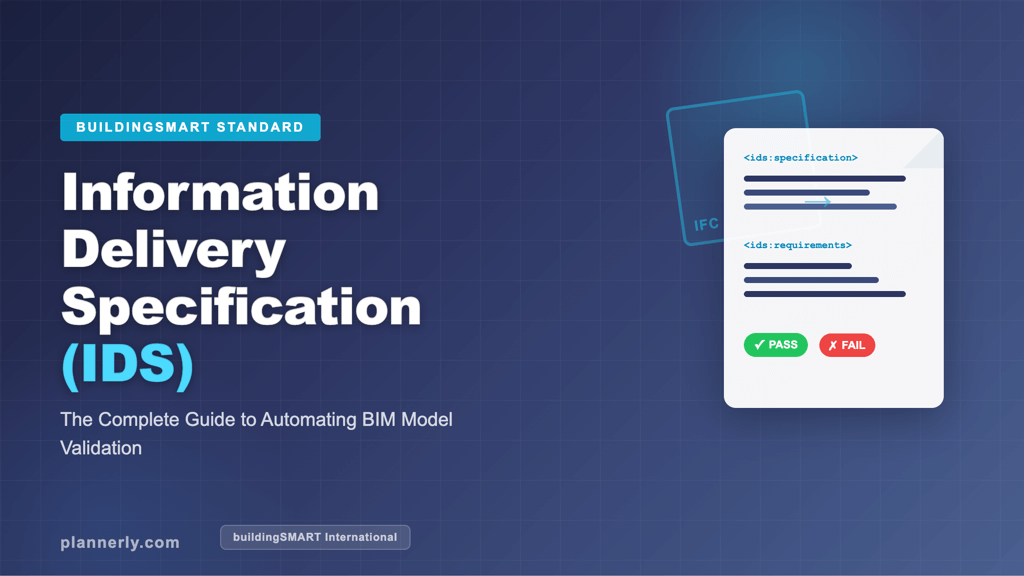
An Information Delivery Specification (IDS) is a buildingSMART standard that defines how information requirements for BIM projects should be documented in a computer interpretable format. Unlike traditional spreadsheets or PDFs that describe what data is needed, an IDS creates a machine-readable XML file that can be used to automatically validate whether an IFC model meets the specified requirements.
The IDS standard can have a massive benefit for the construction industry because it removes the ambiguity that has long plagued information delivery on BIM projects. With IDS, teams can clearly define what information is requested, what the allowed values are, and how that information should be structured within the BIM model. This clarity helps every stakeholder on a construction project understand exactly what is expected of them.
An Information Delivery Specification represents a shift from manual, document-based requirements to automated, computer-readable standards. By using an IDS instead of traditional documents, organizations can streamline their BIM process and ensure consistent information delivery across all project phases.
Want a quick visual overview of IDS and how it connects with the buildingSMART Data Dictionary (bSDD)? Watch this short introduction:
IDS Introduction — How Information Delivery Specifications combine with bSDD to power smarter BIM validation.
Why the Information Delivery Specification Matters for BIM Projects
In any BIM process, getting the right information at the right time is critical. Traditionally, information requirements have been documented in lengthy text-based documents that are open to interpretation. This often leads to misunderstandings, rework, and costly delays on construction projects.
The IDS standard solves this by providing a structured, computer interpretable way to specify exactly what information is needed. When you create an IDS, you define your requirements in a format that BIM tools and IDS editors can read and validate automatically. This means you can check whether your IFC models contain all the requested information before files are even submitted.
For teams managing a large asset portfolio across multiple BIM projects, IDS brings consistency and automation to what was previously a manual, error-prone checking process. The importance of IDS in modern construction cannot be overstated, as it directly addresses the need for clearer information requirements throughout the BIM process.
The Business Case for Implementing IDS in Your BIM Process
Organizations adopting Information Delivery Specification standards report significant improvements in project efficiency and model quality. The business benefits of implementing IDS include reduced rework, faster approval cycles, and improved coordination among BIM teams. When information requirements are clearly defined and automatically validated, the entire construction project runs more smoothly.
The delivery specification approach enables BIM projects to track compliance in real time, providing objective metrics on whether deliverables meet stated requirements. This transparency helps project managers make faster decisions and identify issues before they become expensive problems.
How IDS Works: The Technical Basics
At its core, an Information Delivery Specification is an XML file that follows the buildingSMART IDS schema. This XML file contains a set of specifications, where each specification defines requirements for specific elements within IFC models. Here is how IDS works in practice:
- Applicability: Each specification in the IDS defines which IFC elements it applies to (for example, all walls, all doors, or all spaces in the BIM model).
- Requirements: For those applicable elements, the IDS defines what properties, classifications, materials, or attributes must be present and what their allowed values should be.
- Validation: BIM tools that support the IDS standard can then automatically check each IFC model against these requirements, producing a pass/fail report for each specification.
Because the IDS is written as a structured XML file, it eliminates the need for manual checking. The IDS can validate thousands of elements in seconds, identifying missing or incorrect information across your entire BIM model. This makes the IDS a powerful quality assurance tool for any construction project.
Understanding how IDS processes information requirements is essential for teams looking to upgrade their BIM process. The technical foundation of IDS enables rapid validation that would be impossible with traditional, manual approaches to checking.
IDS vs. Traditional Information Requirements
Before IDS, teams typically used spreadsheets, PDF documents, or text-based BIM Execution Plans to define their information requirements. While these approaches work, they have significant limitations in the BIM process:
- Manual checking: Someone has to manually verify that each IFC model meets the requirements, which is slow and error-prone.
- Ambiguity: Text-based requirements leave room for interpretation. What one team considers “complete” information might not match another team’s expectations.
- No automation: Traditional documents cannot be read by BIM tools, so there is no way to automate the validation process.
The Information Delivery Specification addresses all of these issues. By encoding requirements in a computer interpretable XML file, the IDS enables automatic validation, removes ambiguity, and ensures that the information structure of every deliverable matches the project’s specifications exactly.
Making the transition from traditional methods to an IDS-based approach requires changing how teams define and communicate their delivery specification requirements. However, the shift is worthwhile given the substantial improvements in efficiency and accuracy.
Key Components of an IDS File
Every Information Delivery Specification (IDS) file contains several important components that define the information requirements for a construction project. Understanding these components is essential for anyone working with IDS on BIM projects:
Specifications in an Information Delivery Specification
A single IDS file can contain multiple specifications. Each specification targets a specific set of elements in the IFC models and defines what information those elements must contain. For example, one specification might require all walls to have a fire rating property, while another might require all spaces to include area calculations. These specifications form the backbone of how your delivery specification manages information requirements across the BIM model.
Facets and Properties
Facets are the building blocks of IDS requirements. They define the specific attributes, properties, classifications, or materials that must be present. Each facet can include constraints on allowed values, ensuring that the requested information meets the project’s standards. Using facets, teams can create granular, precise specifications for the IFC models that must be delivered.
Optionality and Flexibility
IDS allows you to mark separate requirements as either mandatory or optional. This flexibility is important because not every piece of information is equally critical at every stage of a construction project. Teams can define which requirements are essential for a particular delivery milestone and which are nice-to-have. This capability makes IDS particularly useful for phased BIM projects.
Creating an Information Delivery Specification: Step-by-Step Guide
Creating an IDS does not require programming knowledge. Several BIM tools and IDS editors now support the creation and editing of IDS files through user-friendly interfaces. Here is a typical workflow for creating an IDS:
- Identify your information needs: Review the project’s information requirements, including what data is needed from each discipline and at what stage of the BIM process.
- Define specifications: For each requirement, create a specification in the IDS editor that identifies which IFC elements it applies to and what information those elements must contain.
- Set allowed values: Where appropriate, define the permitted values for each property or attribute. For example, fire rating values might be restricted to specific classifications.
- Export and share: Save your IDS as an XML file and distribute it to all project stakeholders so they can validate their BIM models before submission.
Tools like Plannerly make this process even simpler by integrating IDS creation into the broader BIM management workflow. With Plannerly, you can define your information requirements using an intuitive interface, export them as IDS files, and track compliance across your entire BIM project.
In the video below, we walk through the full process of creating an IDS and a responsibility matrix from scratch — no coding required:
How to Create an IDS (buildingSMART Information Delivery Specification) — a step-by-step walkthrough using Plannerly.
The process of building an effective delivery specification requires clear communication with your team about information requirements. When stakeholders understand how IDS will be used to validate their work, they can more easily adopt the required standards and procedures.
Using IDS with IFC Models for Quality Assurance
One of the most powerful applications of the Information Delivery Specification is automated quality assurance of IFC models. Once you have an IDS file, you can use it to check any IFC model for compliance. This process works as follows:
The IDS validator reads the XML file and compares the requirements against the data in the IFC models. For each specification, it checks whether the applicable elements contain the requested information and whether the values fall within the allowed ranges. The result is a detailed report showing which requirements pass and which fail, along with specific details about any non-conformances.
This automated checking process is invaluable for construction projects because it catches errors early in the BIM process, before they become costly problems on site. It also provides an objective, repeatable way to assess model quality across different teams and disciplines.
By implementing IDS for quality checks, teams can significantly reduce the time spent on manual BIM checking and focus on more strategic aspects of their BIM projects. The delivery specification becomes a living document that can be refined as lessons are learned.
To see IDS-based quality assurance in action, here is a demonstration of how Plannerly and Solibri work together to check BIM models against an IDS:
BIM Checking with buildingSMART IDS — using Plannerly and Solibri for automated model validation.
IDS and Non-IFC Data
While the Information Delivery Specification is primarily designed for validating IFC models, the principles behind IDS can also be applied to non IFC data. Many construction projects involve information that lives outside of BIM models, such as documents, schedules, and cost data. Teams can use the IDS framework as a reference for defining information requirements across all project deliverables, even if the automated checking is limited to IFC-based content.
BuildingSMART continues to develop the IDS standard, and future versions may extend support for validating non IFC data alongside traditional BIM model content. This evolution will make the delivery specification even more valuable for comprehensive project information management.
IDS in the Context of ISO 19650 and BIM Standards
The Information Delivery Specification fits naturally into the ISO 19650 framework for information management. ISO 19650 compliance requires teams to define their information requirements at the start of a construction project and to verify that deliverables meet those requirements throughout the BIM process. IDS provides the technical mechanism to do exactly this.
When teams use IDS as part of their ISO 19650 workflow, they can automate the verification of information deliveries, track compliance across multiple BIM projects, and provide auditable evidence that requirements have been met. This is particularly valuable for organizations managing a large asset portfolio across multiple construction projects.
The relationship between IDS and BIM standards is symbiotic: standards define the framework, and IDS provides the technical implementation. Together, they create a robust approach to information management in the BIM process.
Popular IDS Editors and BIM Tools Supporting IDS
Several IDS editors and BIM tools now support the IDS standard. Here are some of the most popular options for creating and validating Information Delivery Specifications:
- Plannerly: A comprehensive BIM management platform that integrates IDS creation, validation, and compliance tracking into a single workflow. Plannerly makes it easy to define your delivery specification, export IDS files, and verify IFC models against your requirements. For users of specific BIM tools, Plannerly also offers specialized features like IDS Revit integration and buildingSMART IDS Archicad compatibility.
- buildingSMART IDS Editor: The official open-source IDS editor from buildingSMART, which provides a straightforward interface for creating and editing IDS files. This editor is freely available and forms the foundation for many other tools in the IDS ecosystem.
- Various BIM Checking Tools: Several commercial BIM tools now include IDS validation capabilities through the checking tab or dedicated IDS modules, enabling teams to validate their IFC models directly within their existing workflows.
The variety of available tools makes it easier for organizations to adopt IDS regardless of their existing BIM software stack. Whether you work with Revit, ArchiCAD, or other platforms, there is likely an IDS editor or validation tool that integrates with your current setup.
Wondering how Plannerly fits into the IDS ecosystem? This video explains how we tackled the common challenges teams face when adopting IDS on real projects:
Solving the IDS Challenge with Plannerly — practical strategies for adopting IDS across your organisation.
Getting Started with IDS on Your BIM Projects
If you are ready to implement the Information Delivery Specification on your construction projects, here are the steps to get started:
- Learn the fundamentals: Familiarize yourself with the IDS standard, its structure, and how it integrates with your existing BIM process. Understanding Information Delivery Specifications and reviewing buildingSMART documentation will provide excellent foundational knowledge.
- Choose your IDS tools: Select an IDS editor and validation platform that fits your team’s workflow. How to implement IDS from buildingSMART guides can help you make this decision. Plannerly offers an integrated solution that simplifies the entire process.
- Start small: Begin by defining IDS requirements for a single discipline or a pilot construction project. This allows your team to build confidence with the standard before rolling it out across all BIM projects. Learn about buildingSMART IDS export availability to understand your options.
- Iterate and improve: As your team gains experience, refine your IDS specifications based on lessons learned. The beauty of the IDS is that each XML file can be reused, adapted, and improved from project to project. Resources like the IDS XML how-to guide can support your team’s learning journey.
The Information Delivery Specification is rapidly becoming an essential standard for anyone involved in BIM projects. By adopting IDS, your team can automate quality checks, eliminate ambiguity in information requirements, and deliver better outcomes on every construction project.
Ready to create your first IDS file? This tutorial shows you exactly how to build a buildingSMART-compliant IDS file using Plannerly, from start to export:
How to Create an IDS buildingSMART File with Plannerly — from defining requirements to exporting your finished IDS.
Additional Resources for IDS Implementation
To deepen your understanding of IDS and its role in modern BIM practices, several resources are available to support your implementation journey. Learn more about creating responsibility matrix IDS RACI to clarify roles and accountability. Explore how BIM model quality verify tools can complement your IDS validation strategy. For those interested in automation, discover simplifying BIM model checking automation with integrated platforms.
Organizations can also benefit from structured training. Consider exploring our BIM training course to build comprehensive skills in IDS, BIM standards, and information management. Additionally, the help resources on how Plannerly supports BIM and ISO 19650 workflows worldwide provide practical guidance for implementation.
For a deeper dive into the full implementation workflow, including how to bring bSDD classifications and IDS validation together in one platform, watch our step-by-step guide:
How to Implement bSDD and IDS with Plannerly — a complete step-by-step guide to integrating both standards.
The Future of Information Delivery Specifications in Construction
As the construction industry continues to embrace digital transformation, the Information Delivery Specification is positioned to become increasingly central to how BIM projects are managed. The IDS standard will likely evolve to support more complex scenarios, including integration with other data formats and expanded capabilities for non IFC data validation.
Organizations that invest in mastering IDS now will gain a competitive advantage. By establishing clear delivery specification processes and automating information validation, teams can operate with greater efficiency, reduce costly errors, and deliver higher quality results on every construction project.
Ready to transform your approach to BIM information management? Try Plannerly for free and see how easy it is to create, manage, and validate your Information Delivery Specifications. You can also explore using Plannerly as a common data environment (CDE) to centralize all your BIM information requirements and project documentation in one place.