Applicability
Which elements it's about: every wall (IfcWall), say, or every element with a given classification.

Information Delivery Specification
IDS, the Information Delivery Specification, is the buildingSMART standard for writing a project's information requirements as a file software can read. Each specification says which elements it applies to and what they must carry, so anyone can check an IFC model against the same rules, automatically.
IDS export is on every plan, the Free plan included. No card.
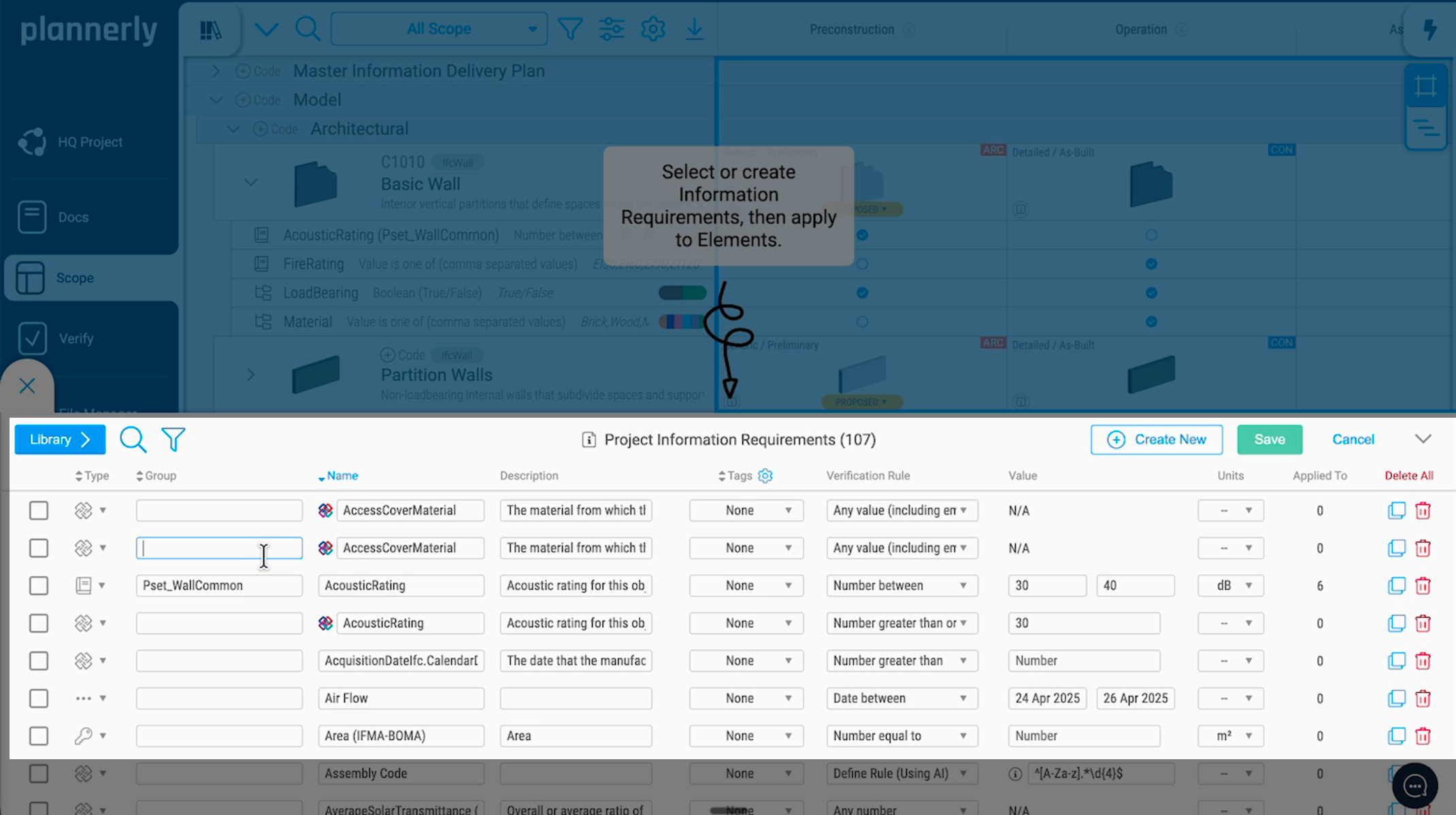
An IDS file is XML, made of specifications. Each specification has two halves:
Which elements it's about: every wall (IfcWall), say, or every element with a given classification.
What those elements must have: a property in a property set, a value or a range, a classification or a material.
Both halves are built from the same six facets: entity, attribute, classification, property, material and part of.
Say every wall must state its fire rating and whether it's external. In plain English, that's two requirements:
| Applies to | Requires | In the property set |
|---|---|---|
| Every wall (IfcWall) | FireRating, with a value | Pset_WallCommon |
| Every wall (IfcWall) | IsExternal, true or false | Pset_WallCommon |
And here is the specification in the IDS file, slightly simplified:
<ids:specification name="Walls" ifcVersion="IFC4">
  <ids:applicability minOccurs="0" maxOccurs="unbounded">
    <ids:entity>
      <ids:name><ids:simpleValue>IFCWALL</ids:simpleValue></ids:name>
    </ids:entity>
  </ids:applicability>
  <ids:requirements>
    <ids:property dataType="IFCLABEL">
      <ids:propertySet><ids:simpleValue>Pset_WallCommon</ids:simpleValue></ids:propertySet>
      <ids:baseName><ids:simpleValue>FireRating</ids:simpleValue></ids:baseName>
    </ids:property>
    <ids:property dataType="IFCBOOLEAN">
      <ids:propertySet><ids:simpleValue>Pset_WallCommon</ids:simpleValue></ids:propertySet>
      <ids:baseName><ids:simpleValue>IsExternal</ids:simpleValue></ids:baseName>
    </ids:property>
  </ids:requirements>
</ids:specification>
You don't have to write the XML by hand. Plannerly writes it from your scope: each element becomes a specification, and each of its requirements a property. See a full exported file.
IDS works alongside the buildingSMART Data Dictionary: the bSDD defines what a property means, and IDS says which elements need it.
Create the file once, then check against it wherever your team works:
IDS covers one kind of check, the information in the model. BIM checking, explained covers the rest.
In Plannerly
Scope
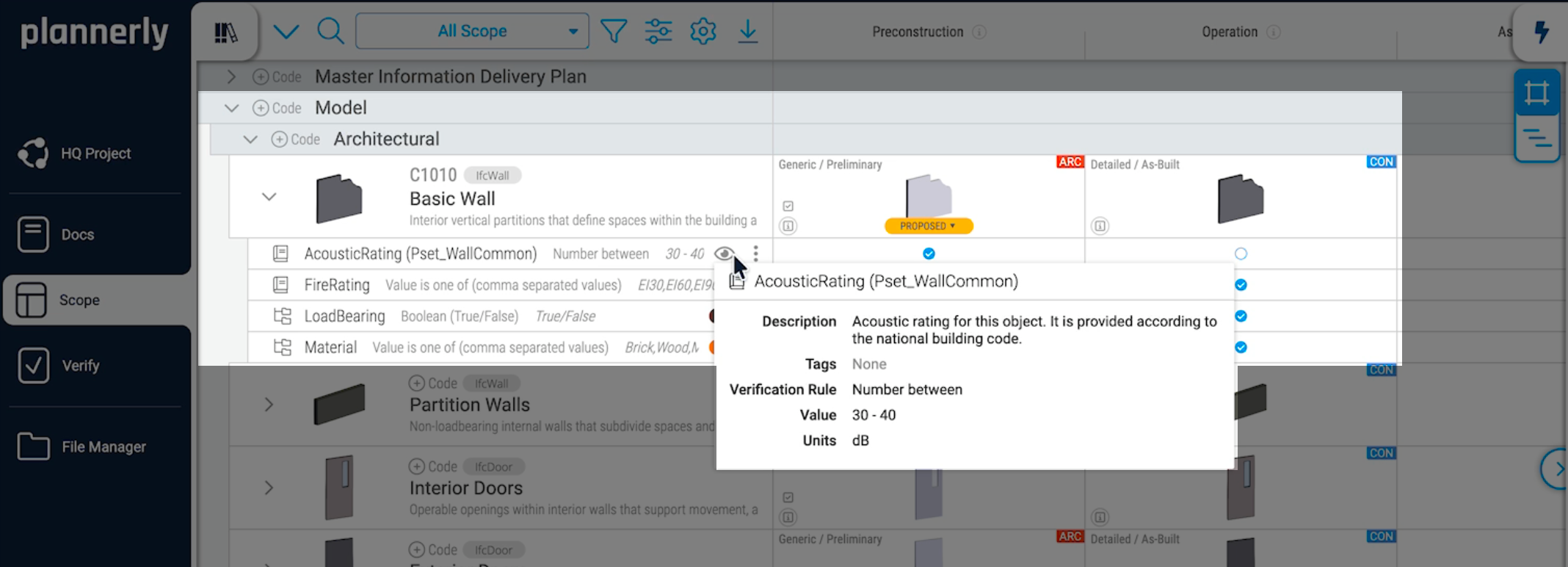
In Plannerly Scope each requirement is data: the property, its property set, the rule, the value and the unit, against the elements and milestones it applies to. Pick properties from the buildingSMART Data Dictionary, then export a milestone's requirements as an IDS file. Already have an IDS file? Import it into Scope instead.
Verify
Give the IDS file to every author to check before they share. When the model arrives, Verify checks every linked element against the same requirements automatically, and counts what's correct, incorrect or missing.
See model checking with IDS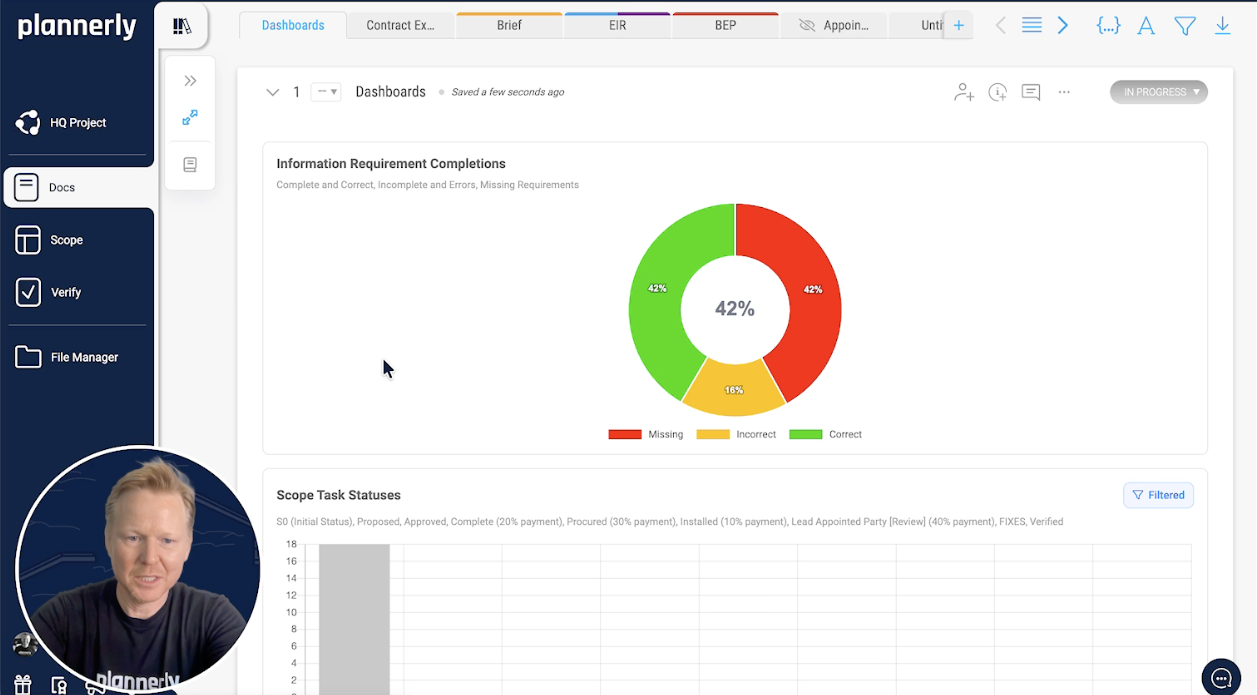
Look closer
Free lessons
 Level 1 lesson - requirements
Set up the requirements your IDS file is made from.
 Level 1 lesson - the bSDD
Pick classifications and properties from the bSDD as you write requirements.
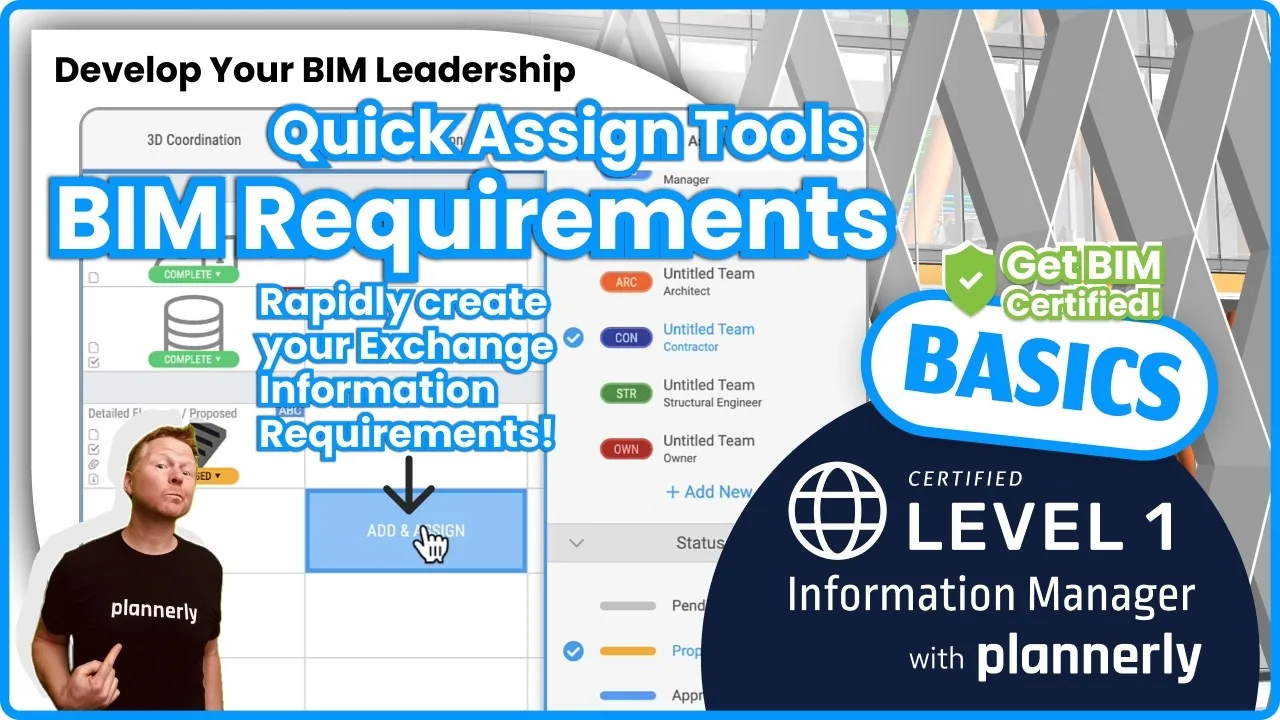 Level 1 lesson - quick assign
Give hundreds of elements their requirements in a few clicks.
 Level 2 - free certificate
Requirements, tracking and model verification before handover, with a free certificate.
Free download
Everything to check models the way this page does: a starter project with example requirements ready to check, the IDS checking guide, the model checking slides from BIM Boot Camp and the ISO 19650 tracking and compliance step.
Example requirements in Scope, ready to export as an IDS file and to check your first model in Verify.
Read more
What an IDS file is, what's inside one and which tools read it.
GuideTurn your requirements into IDS XML in a few clicks, and see the file.
How-toA demo: requirements from the bSDD, exported as IDS, checked in Solibri.
DemoA simple, effective IDS workflow with Archicad and Plannerly.
WorkflowBring the IDS requirements into Revit with Plannerly's connection.
WorkflowThe whole job, step by step, with a free starter project.
Use caseThe four kinds of model check, and who checks what, and when.
GuideFrom the blog
 English
Learn what an Information Delivery Specification (IDS) is and how this buildingSMART standard automates BIM model validation using machine-readable XML files. Discover how IDS removes ambiguity from information requirements, integrates with ISO 19650 workflows, and helps teams deliver compliant IFC models on every construction project.
 English
Embarking on the buildingSMART IDS journey promises smoother BIM projects, better team coordination, and fewer headaches. Implementing this standard may sound daunting, but fear not – it's simpler than you think with the right tools! Let’s journey together, shall we?
 IDS xml
The most simple approach to create a responsibility matrix and export filtered IDS (Information Delivery Specification) files!
 English
Learn how Plannerly, a proud partner of buildingSMART, collaborates to support integrated workflows and create intuitive software for AEC teams worldwide.
 English
buildingSMART introduced the standardised IDS framework for communication in a machine-readable format for teams to move away from error-prone spreadsheets! The article and video show you how to create and check an IDS using Plannerly and Solibri.
 English
Discover how openBIM standards established by buildingSMART empower BIM workflows through the utilization of the data dictionary (bSDD) and Information Delivery Specifications (IDS). Uncover the ways in which these tools elevate communication, guarantee data coherence, and refine project processes within the construction sector.
 BIM execution plan
The secret weapon for successful BIM management: How an online BIM collaboration platform can simplify BEPs and IDS to improve information management and streamline BIM workflows.
 BIM management
Simple creation of an IDS (Information Delivery Specification) using the bSDD (buildingSMART Data Dictionary). Learn about the workflow, element classification, information requirements, and exporting the IDS in XML format.
Questions
Start free, write or import your requirements in Scope and export them as an IDS file for every author on the project.
Free plan · No card · IDS export included