
For contractors
Stop chasing subcontractors for files and dates
Plannerly helps contractors run ISO 19650 as the lead appointed party. Answer the tender with a BEP from your own template, get every subcontractor's TIDP agreed and signed in one MIDP, and check their models before your client does. Subcontractors join free, and Plannerly does the reminding.
Free plan, no card. Subcontractors never pay to join your project.
Contractors among 100,000+ teams in 100+ countries







The problem
Why the delivery plan falls apart after the tender
Your jobs, in order
The ISO 19650 jobs a contractor meets, from tender to the next bid
Turn the EIR into a BEP with AI
The tender clock is running and the client's EIR is long. Bring it in, start the BEP from the ISO 19650 template, and let AI draft a first answer to each requirement for you to check.
Step 1Write the BEP
Stop rewriting the BEP after you win. Grow the pre-appointment BEP into the plan you deliver to, with each subcontractor writing and agreeing its own sections.
Step 2Set the information requirements
Stop guessing what the client's EIR really wants. Split it into requirements each subcontractor can meet, by team and milestone, and issue each team only its own.
Step 3Episode 3Run the MIDP
Stop re-issuing the delivery spreadsheet. Paste in the lists you have, give each line one subcontractor who said yes, and track files as they arrive against the plan.
Step 4Episode 1Agree the RACI
A subcontractor who never agreed to its row can't be held to it. Give every deliverable one accountable company, and send each one a contract with only its own work to sign.
Step 5Episode 2Scope LOD and LOIN at scale
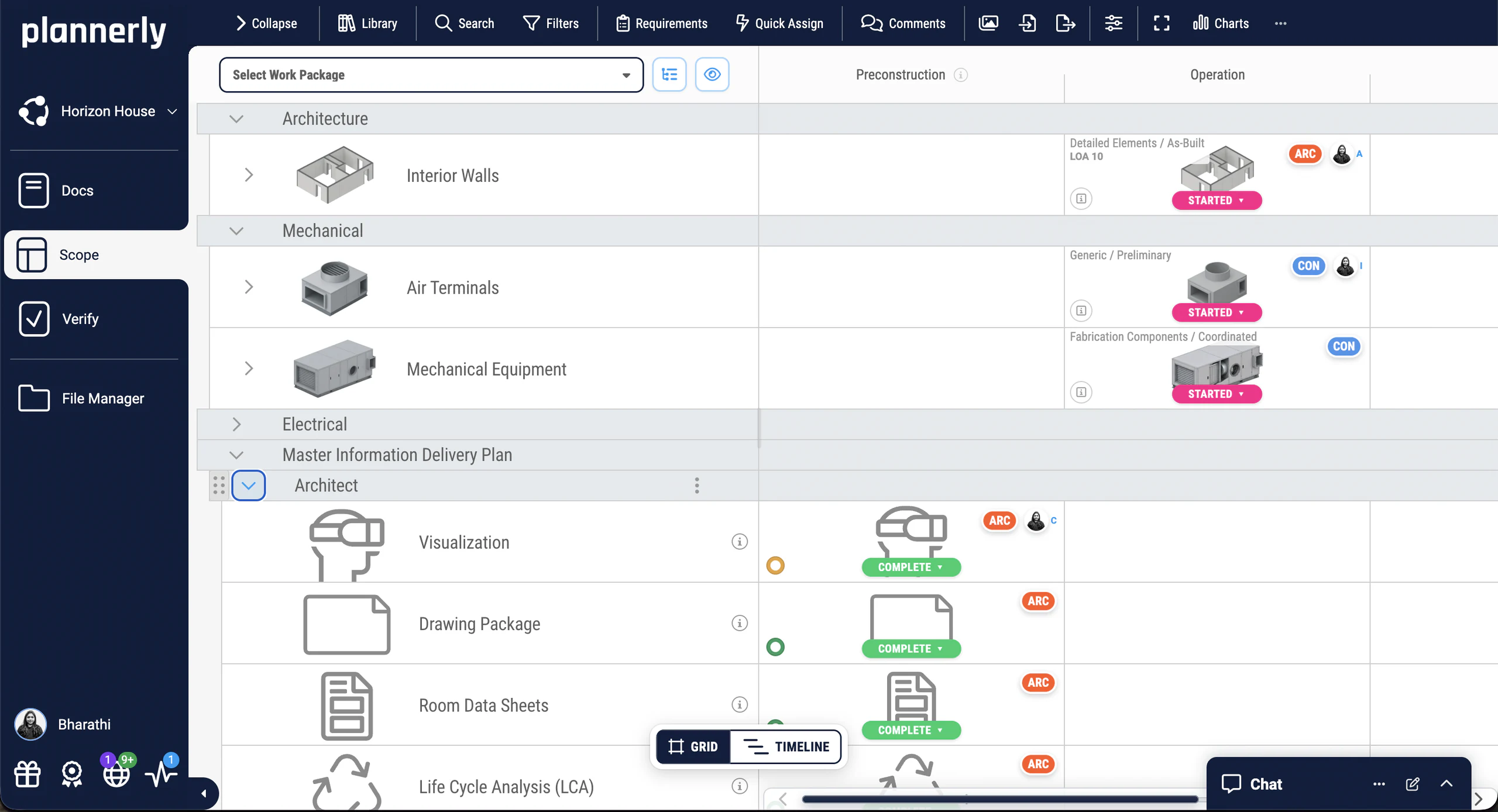
Know what each trade must model, to what level and by when. Every element and milestone gets an owner, a level and a date, on one grid each subcontractor can see.
Step 6Connect your CDE
Stop downloading subcontractors' files to upload them again. Connect the Autodesk hubs they already use, and each file that matches a request fills it in the plan.
Step 7Episode 4Check every model with IDS
Catch missing model data before your client does. Give each subcontractor the client's requirements as an IDS file, and every model is checked automatically when it arrives.
Step 8Make it your company standard
Stop starting each bid from the last job's Word file, old client's name and all. Keep your best BEP and scope as templates, and start every tender from them.
Step 9Case studies
Contractors who got every company to agree its part
A $130M residential project with 53% fewer clashes and 98% of constructability issues solved, a VDC team that replaced five tools with one, and a BIM team that coordinated 50 companies and 45 BIM models on one development.
-
 United States
53% fewer clashes
$130M residential project
53% fewer clashes on a $130M project
Major Real Estate Developer · 800+ O&M team
A $130M apartment project achieved 16.5% time savings and 53% fewer clashes, with 98% of constructability issues solved vs 31% on the control project.
The Plannerly process prompted critical cross-company conversations months before they would have caused problems.
-
United States

5x growth · 60% faster
VDC workflows streamlined
Five tools gone, one source of truth
reiSource · VDC consultancy
Replaced 5 disconnected tools with one platform. Scope prep dropped from 8 hours to 2 and the team scaled from 3 to 15 without compromising quality.
What we used to do with five tools, we now do with one, and with more consistency.
Christopher Allen, Co-founder · reiSource -
 Portugal

$4.5M / €4M
Saved · 310,000 sqm project
How one team saved over $4.5 million
LIMSEN Consultants · BIM management
Coordinated 50 companies and 45 BIM models on one of Portugal's largest mixed-use developments. BEP planning time dropped from 100+ hours to under 30.
Using Plannerly was a cornerstone for us. There is no going back.
Filipe Lima, Managing Partner · LIMSEN
See all case studiesOwners, design teams, contractors, consultants and educators - filter them by your kind of organisation.
From a contractor's VDC team
A VDC director at Bernard's Contractors on Plannerly
Plannerly is easy to put together, organize, view, and customize - and inviting team members is simple. It's changed how we manage project information.
What contractors say
Contractors on winning work and delivering it
5 out of 5
Plannerly is both a tool and a process. It gives my teams an advantage over the competition.
Chris EveristBIM Manager · BNBuilders 5 out of 5
Plannerly cut the time we spent tracking scope and verifying models by 60%.
Jonathan GriffithsSenior VDC Engineer · reiSource 5 out of 5
Well delivered with practical examples and real project scenarios.
Philip O'ConnorICT Systems Mobilisation Lead · CIMIC Group Limited



Free live webinar · Episode 4
Surviving the seven CDEs
Connect them. Keep them in step. Stop re-uploading. Most projects run more than one common data environment, so the single source of truth quietly becomes several and you spend your week re-uploading. How to keep every CDE in step with the agreed plan, so delivered files check themselves off and the dashboards move on their own.
Free webinar on Zoom · 45 minutes · How to survive as a BIM Manager
Thursday 5 November 2026
You'll leave with
- Every CDE on the project connected to one plan
- Delivered files matched to the request they fill
- Dashboards that move as files arrive
Free download
Start the MIDP from Episode 1's project, not a blank spreadsheet: a starter project and three free ISO 19650 PDFs
MIDP Survival Kit: a starter project and three ISO 19650 PDFs
Start your MIDP from the project Episode 1 built instead of a blank spreadsheet, with three PDFs from our free ISO 19650 training: the MIDP step, the detailed responsibility matrix and the whole process on one page.
- 1 starter project
- 3 PDFs
- Free
MIDP starter project
Episode 1's MIDP as a project of your own: task teams, milestones and deliverables in Scope, ready for you to paste in your own lists.
Free training
Learn the lead appointed party's side of ISO 19650, free, with a certificate
 Level 3 lesson - the tender
Tender Response Tasks
Everything that goes into an ISO 19650 tender response, and how to put it together in order.
 Level 3 lesson - the MIDP
Creating the Master Information Delivery Plan MIDP / TIDP
How each task team's TIDP becomes one MIDP, and what belongs on every line.
 Level 3 · Free
ISO 19650 Expert
The whole ISO 19650 process, from the tender response to handover, with a free certificate. 16,600+ learners have taken our free courses.
 Level 2 · Free
Advanced BIM Workflows
From requirements and contracts to tracking delivery, checking models and handover, with a free certificate.
Setup guides
Set up your tender and delivery plan in Plannerly, step by step
Short Help Center guides that walk you through each step in Plannerly. Open one beside the app and follow along.
Read more
Contractor's guides to the MIDP, the RACI and BIM on site
MIDP and TIDP, explained
Who owns each, what goes on every line, and why most go stale by week three.
GuideRACI matrix examples
Responsibility matrices for construction and BIM projects, with examples to copy.
ExamplesHow BIM is used in construction management
Where models, plans and checks earn their keep between the tender and handover.
GuideThe BIM coordinator's responsibilities
What your BIM coordinator owns on an ISO 19650 project, task by task.
GuideISO 19650 naming convention
How to name every file so it fills the right request, with examples.
GuideISO 19650 in one diagram
The tender, appointment and delivery steps on one page, with the PDF to download.
Free PDFQuestions
BIM for contractors: your questions, answered
How do contractors use BIM under ISO 19650?
How do I get subcontractors to agree their deliverables?
Can tender teams see only their own part?
Do subcontractors pay to join?
Will Plannerly chase late subcontractors for me?
Can we check subcontractors' models before they go to the client?
Does Plannerly work with ACC and BIM 360?
How is Plannerly priced for contractors?
Pricing
Pay per project, not per subcontractor
- Five projects included
- The account owner edits; everyone they invite can view
- 100 MB of project files
- Explore Docs, Scope and Verify
- You build the MIDP; every subcontractor you invite can view and comment
- Five projects included
- Unlimited editors and viewers
- 50 GB of project files
- Your branding on everything you export
- Each project beyond five: $49 a month
- Every subcontractor edits its own lines, at no cost to them
- Unlimited e-signatures, so each subcontractor signs its own contract
- Tender teams see only what you assign them
- Try every Pro feature free for 14 days, model checking included, no card
Prices in US dollars. You'll see the price for your country in the app.
Win the work, then deliver it without the chasing
Start free, paste in the deliverables you already have and invite your subcontractors. They join free, and you'll know who has agreed what by the end of the week.
Free plan · No card · Everyone you invite joins free