Check every model against your requirements before you accept it
Model checking with IDS means writing your information requirements once, giving every task team the same rules as an IDS file to check its own models, and checking each delivered model against them. In Plannerly models are checked automatically, element by element, and the charts update as teams fix what failed.
Accept only the models that carry the data you asked for. Write your requirements once, hand every supplier the IDS file, and see each delivered model checked automatically, element by element, before you sign it off.
Catch missing model data before the client does. Give each subcontractor the client's requirements as an IDS file, check what they send automatically, and turn every failed check into a task for the team that owns it.
Know your models meet the client's requirements before each issue. Check your own and your consultants' models automatically and see exactly which property is missing on which element.
Run the same rigorous checking for every client: one set of requirements per client, an IDS file for their authors, and automatic checks with dashboards you can hand over.
Show students what model checking really means: requirements in, model checked automatically, every missing property traced to its element, on the example models in the education plans.
Free plan, no card. The 14-day Pro trial includes model checking.
app.plannerly.com
The problem
Checking models by hand doesn't scale
Sound familiar?
The requirements are in a PDF. The model is in your inbox.
Nobody checked the model against the requirements before sending it, so you do it by hand: open it, click through the elements, tick a spreadsheet. The gaps you miss turn up at handover, and a ticked spreadsheet isn't evidence anyone will trust.
How it works
How to check every model against your requirements, step by step
Set the requirements
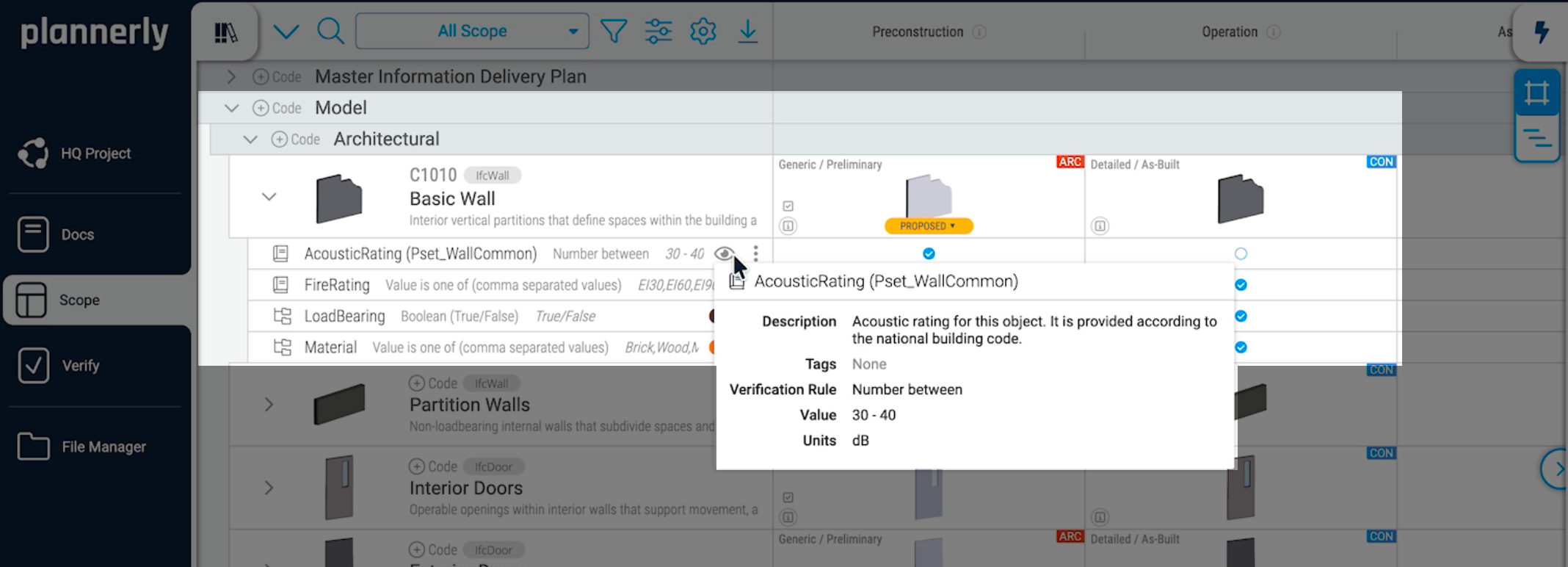
Write each property the project needs - name, rule, value, unit and property set - against the elements and milestones it applies to. Start from templates or the buildingSMART Data Dictionary, then export an IDS file.
One set of rules, for people and software
Bring the models in
Task teams check their IFC models against the IDS file in tools such as Solibri or Archicad before they share them. Then upload the model to Verify, in any of over 60 formats, or bring it in from ACC or BIM 360.
Fewer surprises when the model arrives
Check every element
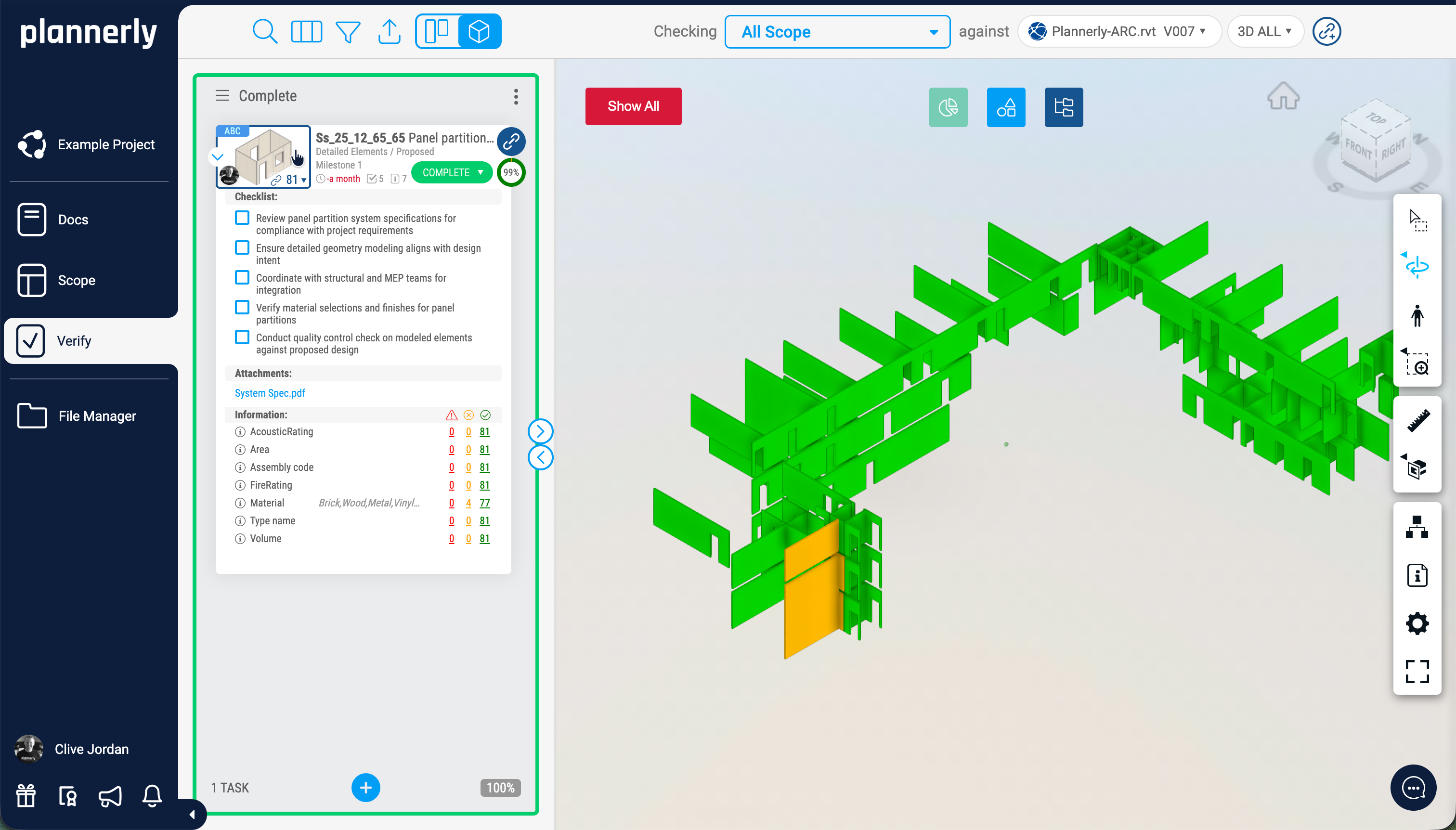
Verify checks every linked element automatically: the property is there, its value and unit meet the requirement, and it sits in the right property set. You see what passed and what failed, element by element.
Pass or fail for every element
Fix and report
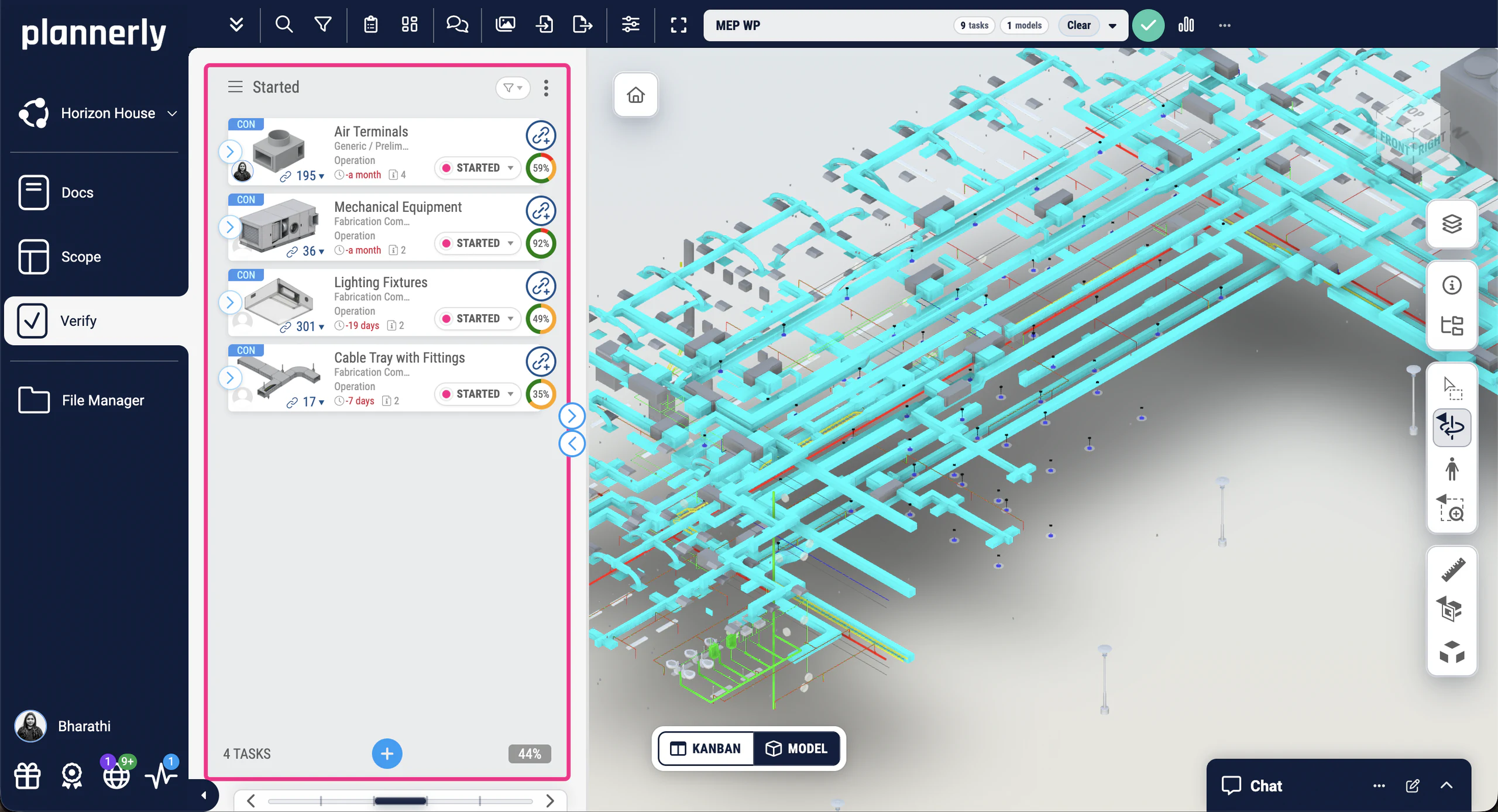
Each task shows which of its elements failed and why, and which team owns the fix. As tasks move across the Kanban board the charts update automatically, and a PDF report can go out every week by itself.
Evidence of who fixed what, without a spreadsheet
Set each requirement once
The property, its property set, the rule, the value and the unit, against the elements and milestones it applies to.
Charts that update themselves
See how complete every model is, without building a report
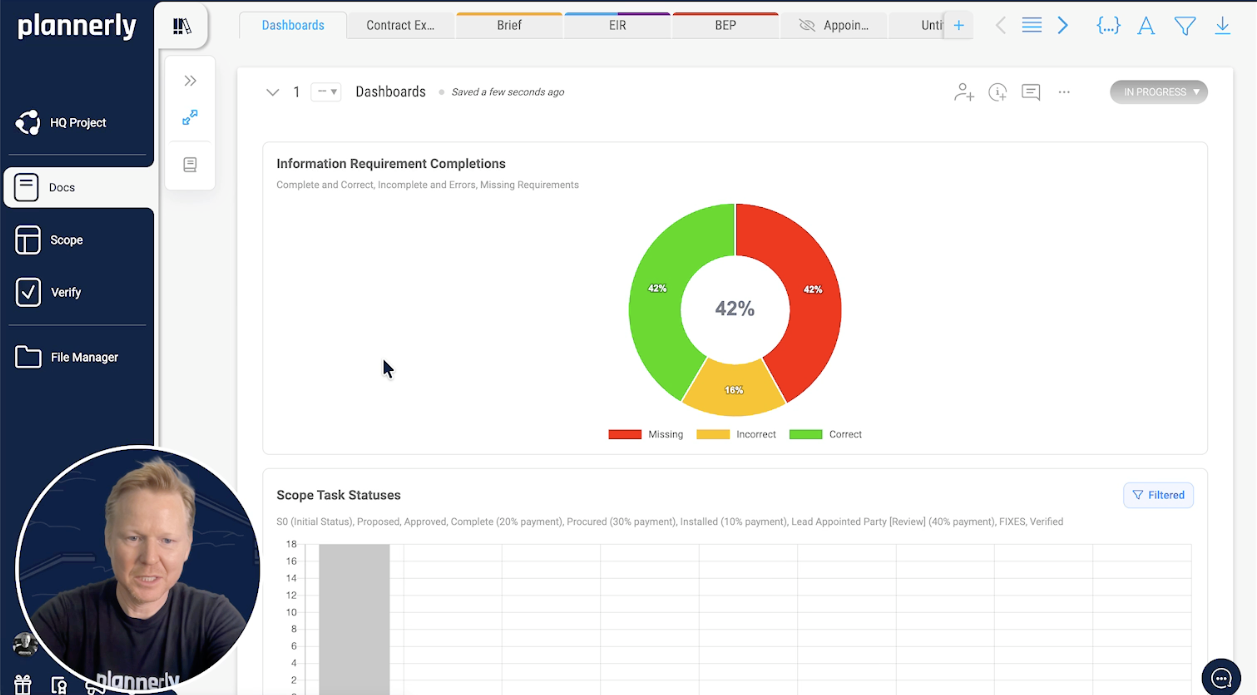
Requirement completions
Correct, incorrect or missing, at a glance
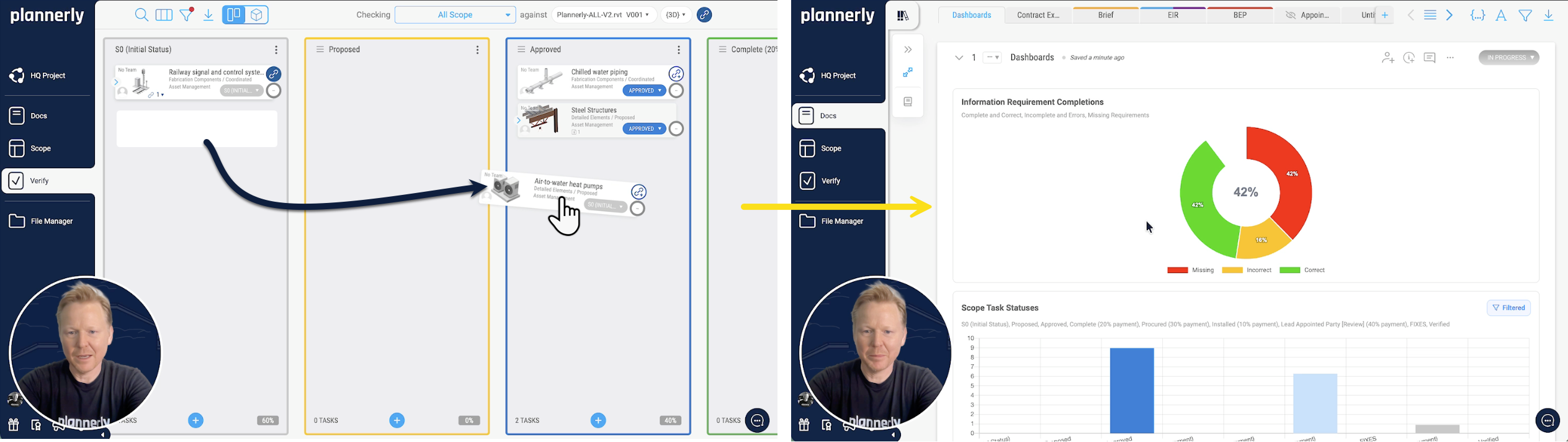
"How are the models looking?" shouldn't mean an afternoon in Excel. Add a chart to any document in Docs and it counts every requirement check on the linked model elements as correct, incorrect or missing. Filter it by milestone, team, team member, status or work package, so each person sees the part they're accountable for.
Information requirement completions, task status and scope task status charts
Side by side or stacked, as donuts or bars
No export to Excel or Power BI, and no filters to rebuild
app.plannerly.com
Updated automatically
Move a task, and the charts follow
When a team fixes what failed and moves its task across the Kanban board, the dashboard updates automatically. Nobody refreshes it, copies numbers into a spreadsheet or rebuilds a slide, and everyone sees the same picture of who has fixed what.
app.plannerly.com
Shared every week
A progress report that sends itself
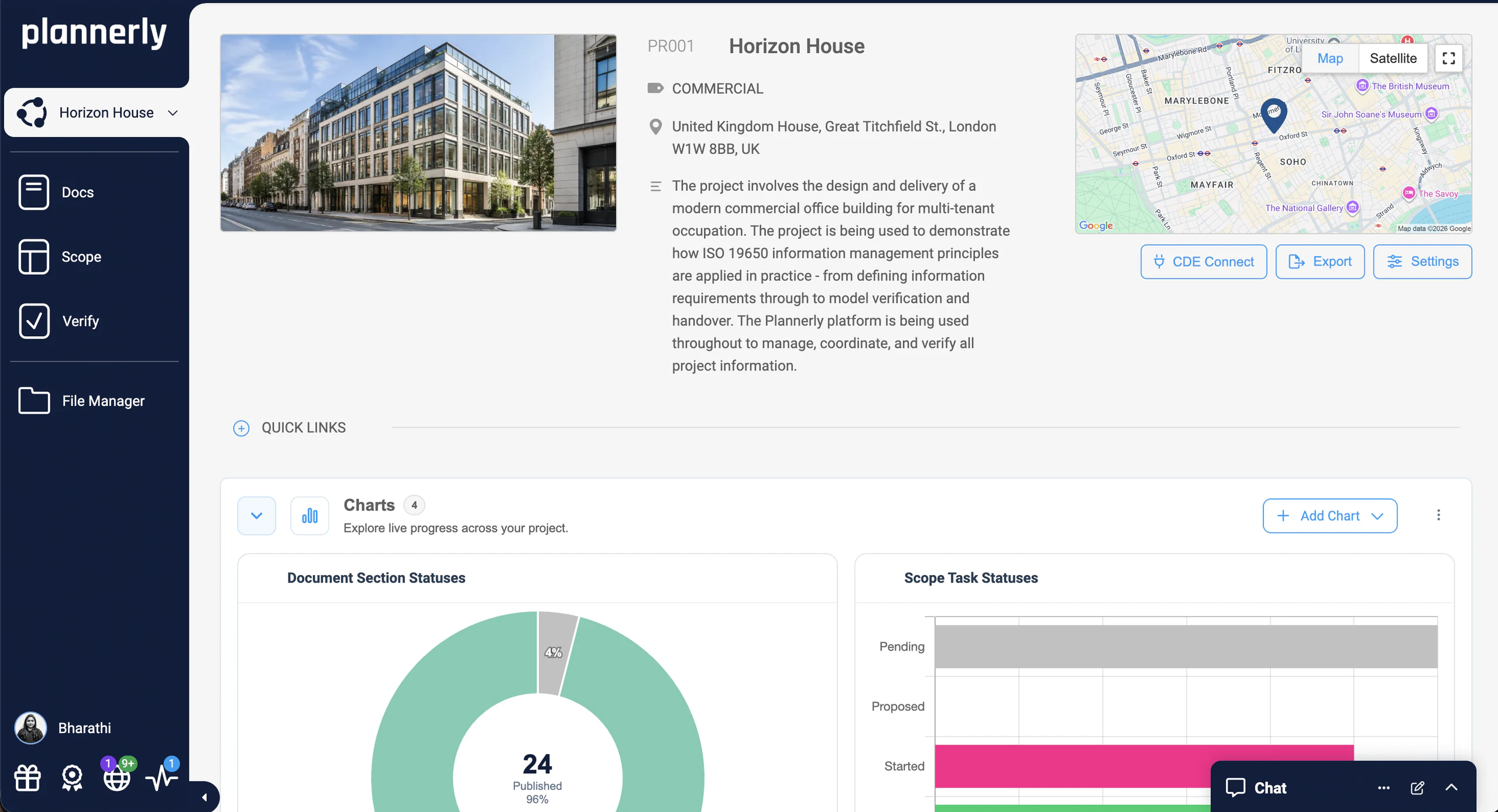
The project dashboard shows live charts of document and task statuses to everyone on the project. Export your model checking dashboard to PDF once, set it to send every week - Monday at 9am, say - and the report reaches your team with the latest statuses, without you lifting a finger.
A free 45-minute webinar on Zoom: requirements your supply chain can check against.One sign-up covers the whole season, and the replay follows here.
Free download
Check your first model this week: a starter project and three free PDFs
Free download
Model Checking Survival Kit: a starter project and 3 PDFs
Everything to check models the way this page does: a starter project with example requirements ready to check, the IDS checking guide, the model checking slides from BIM Boot Camp and the ISO 19650 tracking and compliance step.
1 starter project
3 PDFs
Free
PDF
PDF
PLANNERLY
Model checking starter project
Example requirements in Scope, ready to export as an IDS file and to check your first model in Verify.
How JTC cut model checking from weeks to hours, and two more teams that check this way
A government agency in Singapore that replaced 11,000 Excel rows with automated checks, a transport department in Australia checking its supply chain's models, and a consultancy bringing Plannerly and Solibri together across three countries.
Two government owners checking supply-chain models against requirements they set themselves: JTC made model validation 95% faster, and Queensland's transport department checks what its suppliers deliver.
How owners now check what their contractors deliver, property by property - and what that means for the models you hand over.
How owners now check design models, property by property - and what that means for your next issue.
AdRem brings Plannerly and Solibri together for government compliance in three countries, alongside the owners who set the bar.
Three real model checking programmes your students can study: what was required, how it was checked and what failed.
Queensland Department of Transport and Main Roads · Government owner
Queensland's Department of Transport and Main Roads uses Plannerly Verify to check supply-chain model data against defined information requirements, giving the team more certainty that model deliverables contain the information they expect.
It highlights the need for due diligence when pulling all of the pieces of the puzzle together.
Integrated Plannerly with Solibri's Accessibility Code Checker for automated CORENET X compliance in Singapore, and now rolling out ISO 19650 certification across Malaysia and Indonesia.
Plannerly is critical to our information compliance standards and now with the tracking reports built in, we can spend more time ensuring better quality deliverables and less time collecting compliance statistics with screenshots.
VLVoon Lok, Managing Director · AdRem IT Solutions
CORENET X
Solibri
ISO 19650
Read the story
See all case studiesOwners, design teams, contractors, consultants and educators - filter them by your kind of organisation.
What owners say
Owners on making every requirement traceable
5 out of 5
Compliance checks used to be a black box. Now, every requirement is traceable and auditable.
JKJohn KiongDirector, Future of Building & Infrastructure · JTC Corporation
5 out of 5
Our design teams, PMs, and Clients love the clarity that Plannerly brings!
MFMatthew FullerBIM Program Lead · Texas Instruments
What contractors say
Contractors on spending less time verifying models
5 out of 5
Plannerly cut the time we spent tracking scope and verifying models by 60%.
A custom Revit plugin built on Plannerly requirements lets modelers view, fill, and verify parameters without leaving Revit, with multi-language support for Belgium and Luxembourg.
If you follow the government track, just click the button. It's already done for you.
Revit
Plugin
Government
Read the story
See all case studiesOwners, design teams, contractors, consultants and educators - filter them by your kind of organisation.
What consultants say
Consultants on checking models for government clients
5 out of 5
When you're helping governments go digital, you need a platform teams actually understand. That's Plannerly.
VLVoon LokManaging Director · AdRem IT Solutions
5 out of 5
Plannerly cut the time we spent tracking scope and verifying models by 60%.
Many software companies get this wrong. They don't create content or videos. You can't ask me to bring your tool into my curriculum when there's nothing for students to learn from. Plannerly has all of that.
ZADr. Zulfikar AdamuAssociate Professor · London South Bank University
5 out of 5
Students love Plannerly and it makes my life so much easier!
PKPetro KaranxhaProfessor · George Brown College
Setup guides
Set up model checking in Plannerly, step by step
Short Help Center guides that walk you through each step in Plannerly. Open one beside the app and follow along.
How do you check a BIM model against information requirements?
Write the requirements as data, not prose: for each element and milestone, the properties it must carry, the rule each value must meet, the unit and the property set. Then check the model against them in software, not by eye. In Plannerly you write them in Scope, export them as an IDS file for the model authors, and Verify checks every linked element of the delivered model automatically.
Who should check the model under ISO 19650?
Everyone in the chain, against the same rules. The task team checks its own information before it's shared, the lead appointed party reviews and authorises it, and the appointing party accepts it at each information exchange. An IDS file gives every one of them the same requirements to check against, and a record of each check is your evidence of who accepted what. When to submit a model for review under ISO 19650, and the ISO 19650-4 standard on information exchange.
When should models be checked?
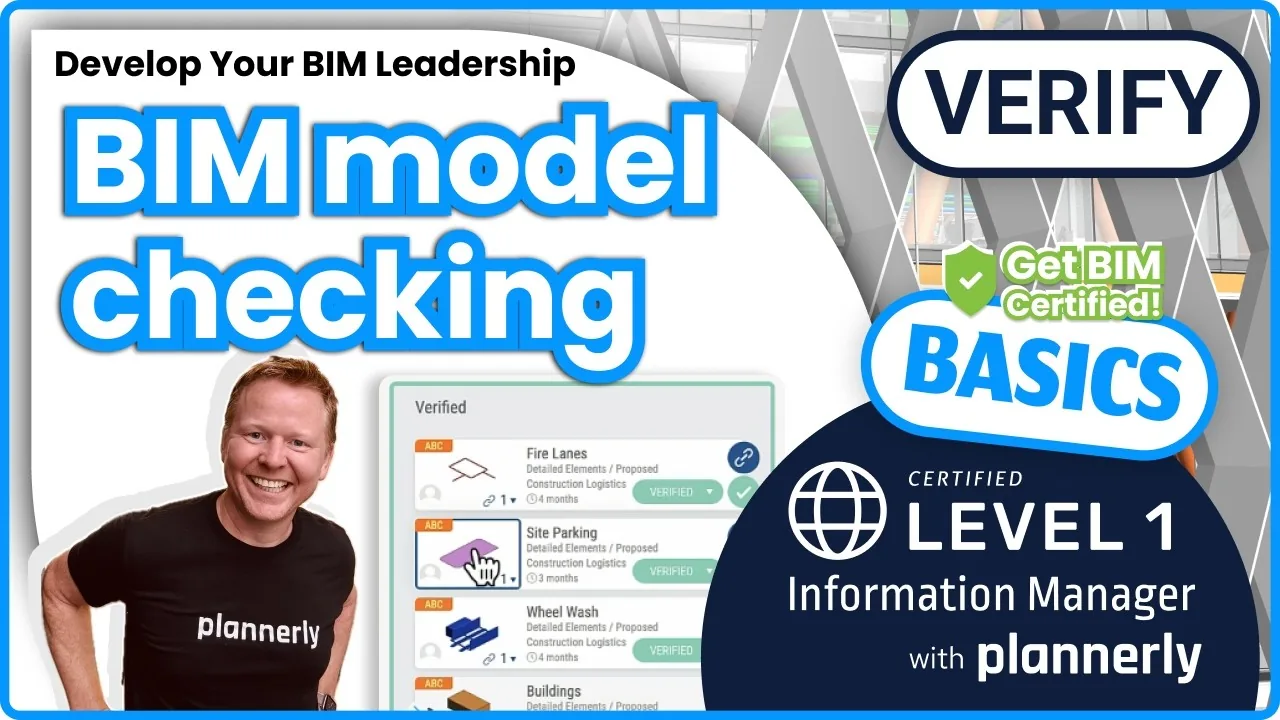
Every time a new version is shared, not just at handover. When the checks run automatically on each version, problems turn up while they're still cheap to fix, and the dashboards show the trend instead of one bad surprise at the end. The free model verification lesson shows how to set it up.
What should a BIM model validation checklist include?
For each element and milestone: the properties it must carry, the rule each value must meet (a number between two values, one of a list, true or false, or simply not empty), the unit, and the property set it belongs in. Add your file and naming checks from your quality control process. Written in Plannerly, that checklist becomes the checks themselves, so nobody ticks it by hand.
Can task teams check their own models before they send them?
Yes, and they should. Export the requirements as an IDS file and authors check their IFC models in tools such as Solibri or Archicad before they submit, or bring the IDS into Revit. Verify then checks the delivered model against the same requirements, so nobody checks against a different version of the truth. How to create an IDS file.
Which model formats can Plannerly check?
Verify reads over 60 model file formats, IFC and Revit among them, and you can bring models in from Autodesk Construction Cloud and BIM 360. Processing extracts every element and property so the checks can run automatically; even before that, you can walk through, measure and section the model. How long processing takes.
What does a team see when its model fails a check?
Exactly which property failed on which element, and why: it's missing, its value or unit is wrong, or it's in the wrong property set. The task the element belongs to shows its share of checks passed and the team that owns the fix, and the charts update automatically as tasks move across the Kanban board. Why a property shows as missing.
Can I see model checking progress in a chart?
Yes. Add a chart to any document in Docs to show information requirement completions (correct, incorrect or missing), task status or scope task status, and filter it by milestone, team, team member, status or work package. The charts update automatically as models are checked and tasks move, and you can export the dashboard to PDF and have it sent every week by itself. Build a model checking dashboard and filter charts by work package.
Is Verify a clash detection tool?
Not yet, though it's on the way. Today Verify checks the information in the model - whether each element carries the data you asked for - rather than clashes between geometry. Keep your clash detection tool for clashes for now, and use Verify to show the model's data is complete and correct. See what Verify checks.
Does model checking prove ISO 19650 compliance?
It proves one important part: that the information delivered matches the information requested, with a record of every check. Compliance also covers how the requirements were set, how teams were appointed and how information was shared, so the checks are evidence, not the whole case. The free ISO 19650 for Companies course covers the rest.
Can I try model checking for free?
Yes. On Free you can write your requirements and explore Verify on up to five projects. Checking your own models is part of Pro, and the free 14-day Pro trial includes model checking, with no card and nothing to cancel. See pricing, or start free.
Pricing
Start free, and check your own models on the 14-day Pro trial
Free$0forever
Five projects included
The account owner edits; everyone they invite can view