It's verified, not more detailed
An LOD 500 door can be as simple as an LOD 300 one. What changes is that someone has checked it against the door that was fitted.

Level of development
LOD 500 means the model has been checked against what was actually built: each element's size, shape, location, quantity and orientation are field verified. It isn't more detail than LOD 400. It's a promise that the model matches the building, which is what owners need to run it.
Free plan, no card. Everyone you invite joins free.
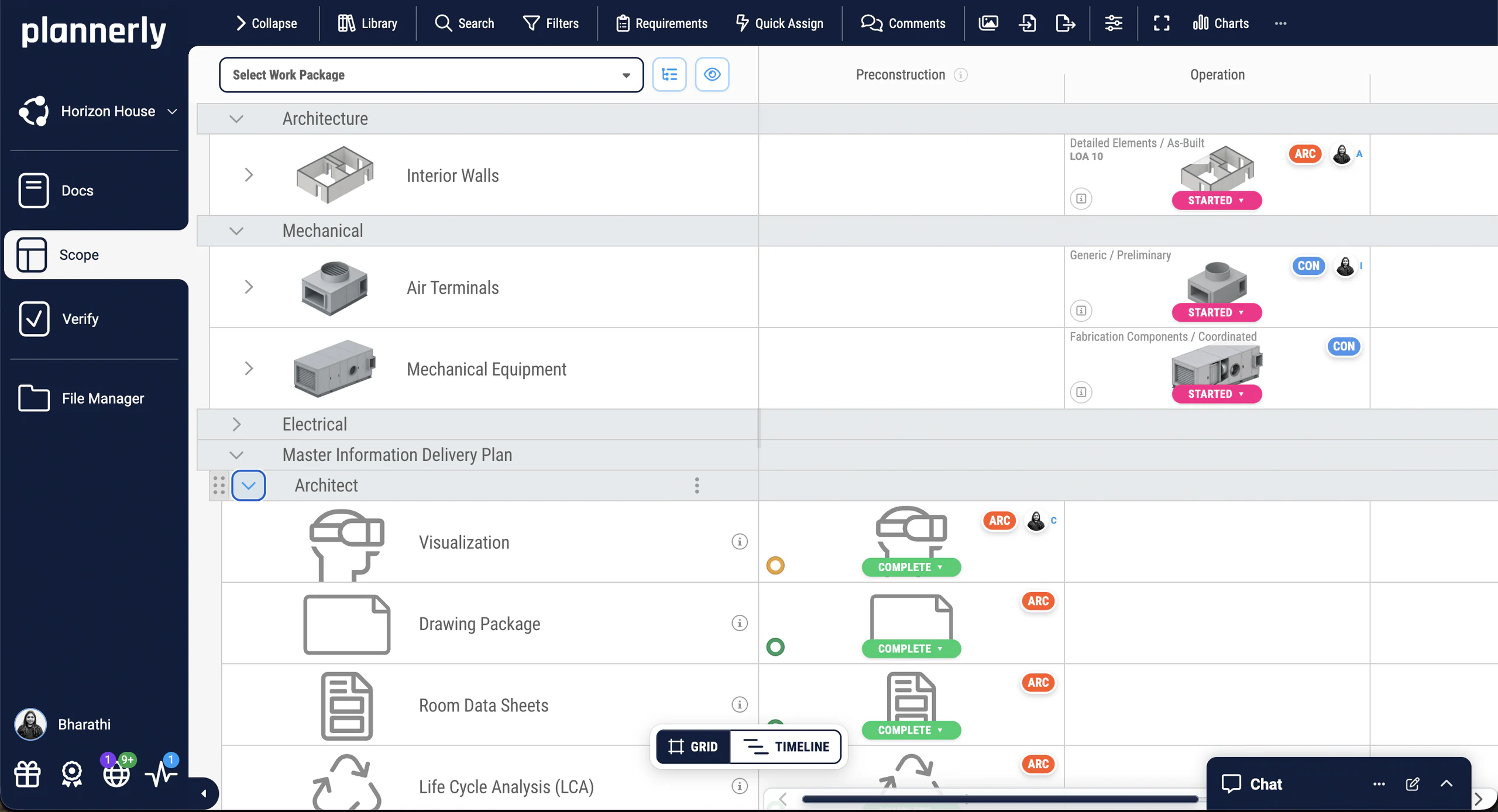
In the AIA's level of development definitions, an LOD 500 element is a field-verified representation: its size, shape, location, quantity and orientation have been checked against what was built. The BIMForum LOD Specification notes that LOD 500 is about field verification rather than a further step of development, so it doesn't illustrate it. In practice that means:
An LOD 500 door can be as simple as an LOD 300 one. What changes is that someone has checked it against the door that was fitted.
It records what was built, changes on site included, so the model can be trusted after handover.
Owners and facility managers use it to find, maintain and replace things, so the information it carries matters as much as its shape.
The two are often confused, because both come late in the project:
| LOD 400 | LOD 500 | |
|---|---|---|
| What it shows | The element as it will be fabricated and installed | The element as it was actually built |
| Who usually produces it | The contractor or the specialist trade | The contractor, from site records and surveys |
| When | Before fabrication | At handover |
| What it's for | Making and fitting it | Operating and maintaining the building |
Every level, with pictures, in levels of development, LOD 100 to 500.
"LOD 500 at handover" isn't enough on its own. Say:
Under ISO 19650 that information comes from the owner's asset information requirements (AIR).
In Plannerly
Scope
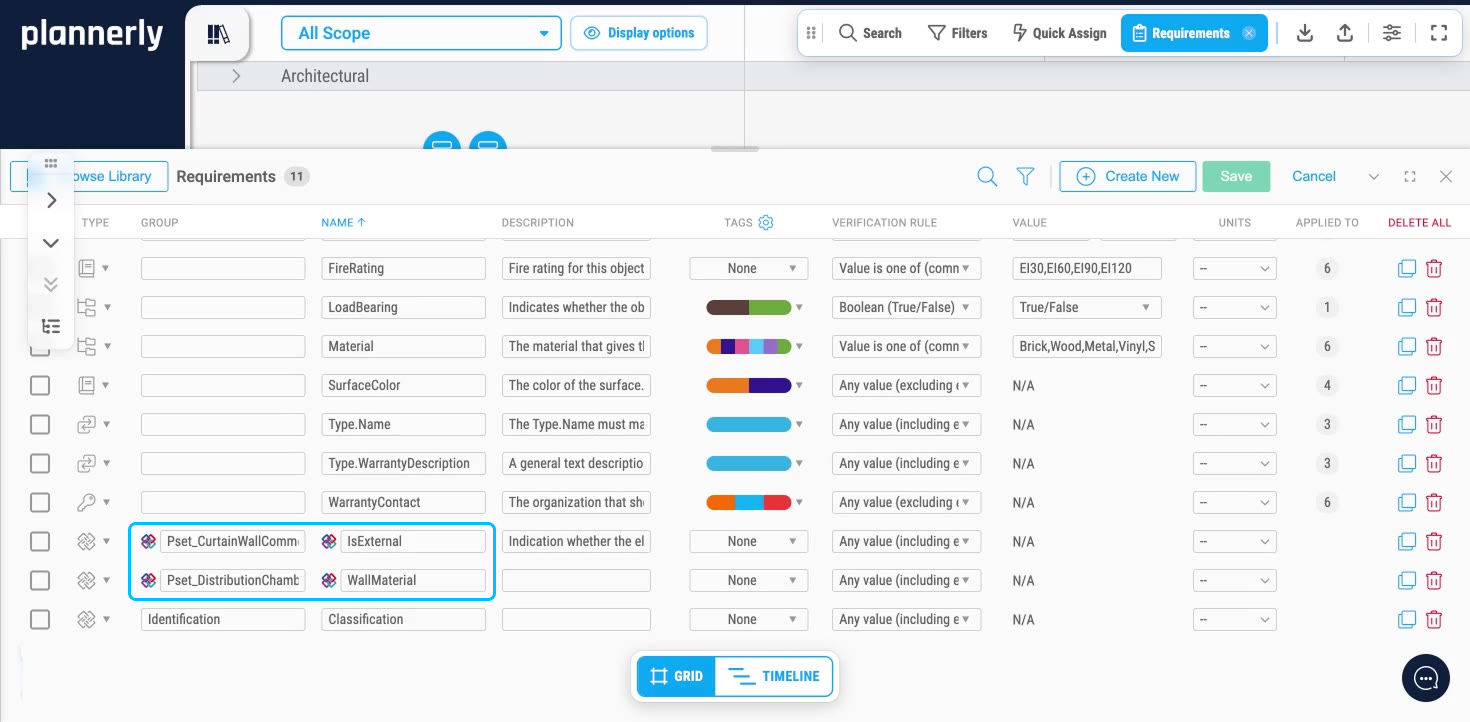
In Plannerly Scope, add the handover milestone and set, for each element, the level it must reach and the information it must carry: COBie-based requirements, the owner's own properties, or both. Each requirement is data, with its property set, rule, value and unit, not a line in a PDF.
Verify
Link the as-built model's elements to their tasks and Verify checks every required property, value and unit automatically. A dashboard counts each requirement as correct, incorrect or missing, so you know what to ask for before handover, not after.
See how Verify works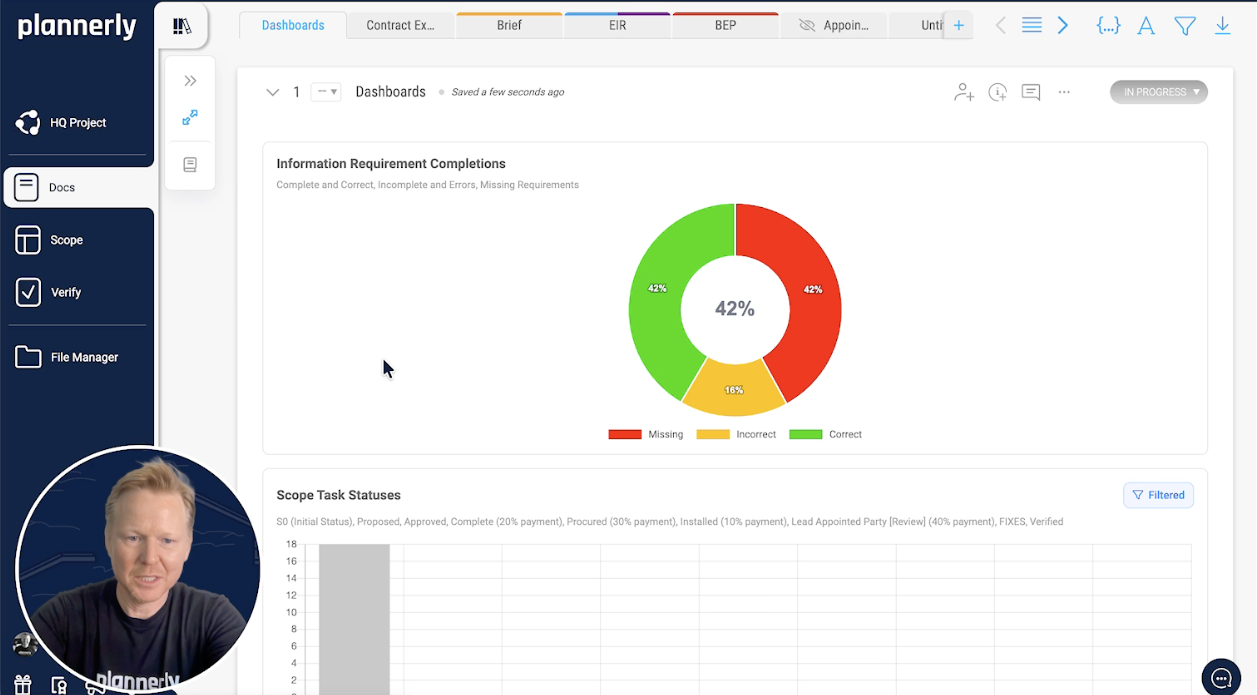
Look closer
Free lessons
 Level 3 lesson - the owner's needs
What the owner needs to run the asset, and how it becomes the information each element carries.
 Level 2 lesson - verification
Checking models before handover, so there are no surprises at the end.
 Level 2 lesson - handover
Reports, exports and the final handover, closing the loop properly.
 Level 2 - free certificate
Requirements, tracking and model verification before handover, with a free certificate.
Free download
Everything to scope LOD and LOIN the way this page does: a starter scope with elements, milestones and requirements, and three free PDFs on combining LOD, LOIN and LOA, setting requirements and roles, and the detailed responsibility matrix.
A classified breakdown with milestones across the top, levels and requirements in the cells, ready for your own elements.
Read more
What each LOD means, and how to use them on a project.
GuideHow detail, information and accuracy fit in one set of requirements.
GuideThe organisational, project and asset information requirements, with the slides for each.
TemplateOIR, AIR and EIR your supply chain can check against, in one list.
Use caseThere's no official LOD 600. Here's what to ask for instead.
GuideThe level most teams ask for at detailed design.
GuideFrom the blog
 English
Explore the ongoing LOD debate in the BIM community, where LOD scales face off against Level of Information Need! Uncover how Plannerly software backs both methods for varied project demands.
 English
Understanding LOD 100-500 can be a game changer! 🔥 I will show you how to use LODs effectively to avoid over and under modeling. Plus, I'll teach you how to create a customized LOD matrix - the cherry on top! 🍒
Questions
Start free, add the handover milestone and set what every asset must carry, so the model you receive is one you can run the building with.
Free plan · No card · Try Pro free for 14 days