
Use case - EIR to BEP with AI
Answer the client's EIR without writing the BEP from scratch
The EIR (exchange information requirements) is what the client asks for. The BEP (BIM execution plan) is your answer. In Plannerly you bring the EIR in, start the BEP from an ISO 19650 template, and AI drafts each answer from the requirement it responds to. You check it, assign it, agree it and sign it.
Get answers you can compare. Every bidder can answer your EIR in the same ISO 19650 structure, section by section, and the BEP you accept stays live in Plannerly instead of in a PDF nobody opens again.
Win the tender without a week of copy and paste. Bring in the client's EIR, start from the ISO 19650 BEP template, let AI draft each answer, and send each subcontractor only the sections it needs to agree.
Answer the client's EIR for the whole design team. AI drafts each BEP section from the requirement it answers, and each consultant agrees its own part before the response goes out.
Write every client's BEP from your own template. AI drafts each answer against that client's EIR, SmartFields fill in the project facts, and your time goes on judgement, not typing.
Teach students to answer an EIR properly: read the requirement, draft the response with AI, then check it, improve it and defend it - the way it's done on real ISO 19650 tenders.
Free plan, no card. Task teams never pay to join your project.
The problem
Every BEP starts as a copy of the last one
How it works
Stop copying last job's BEP: bring the EIR in, start from the template, draft each answer with AI, agree and sign
-
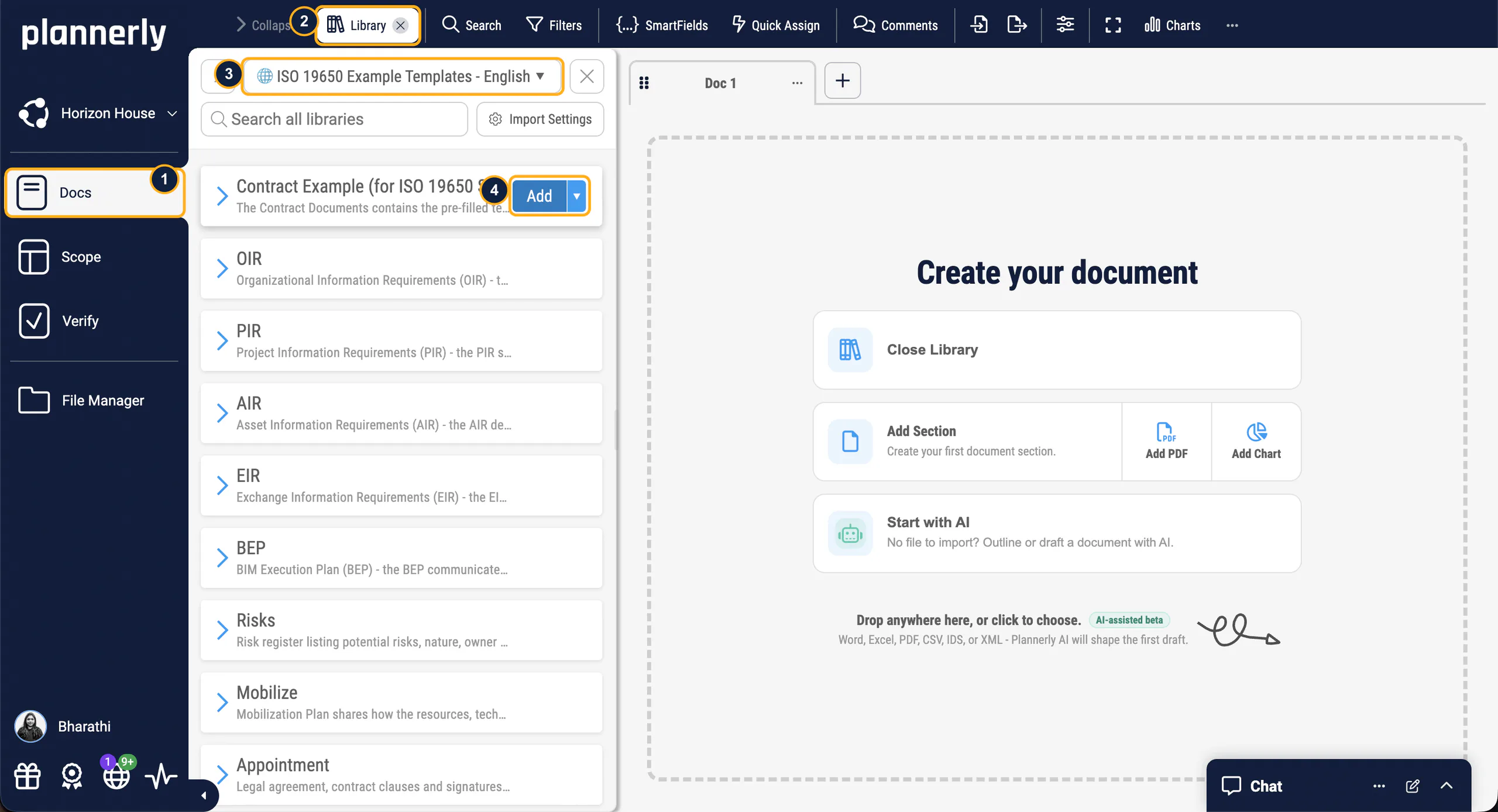
Bring the EIR in
Import the client's EIR from Word, or use Import with AI for a PDF, Word or Excel file. It becomes editable sections in Docs, next to your BEP, and the requirements it finds can become checkable requirements.
The client's requirements next to your answers -
Start from the template
Open the ISO 19650 BEP template from the library, or let Start with AI draft an outline or a complete first version from the BEP's title and description. SmartFields fill in the project name, client and other facts.
No blank page -
Draft each answer
Paste the requirement into a section's description and Write my section drafts the answer. It doesn't invent project facts: it marks what you need to confirm. Then Expand, Correct, Simplify or Summarize it.
A first draft of every answer -
Agree and sign
Assign each section to the team that answers it and settle questions in comments on the section itself. Then export the BEP to PDF or Word, with e-signatures if you need them.
A BEP every team agreed to
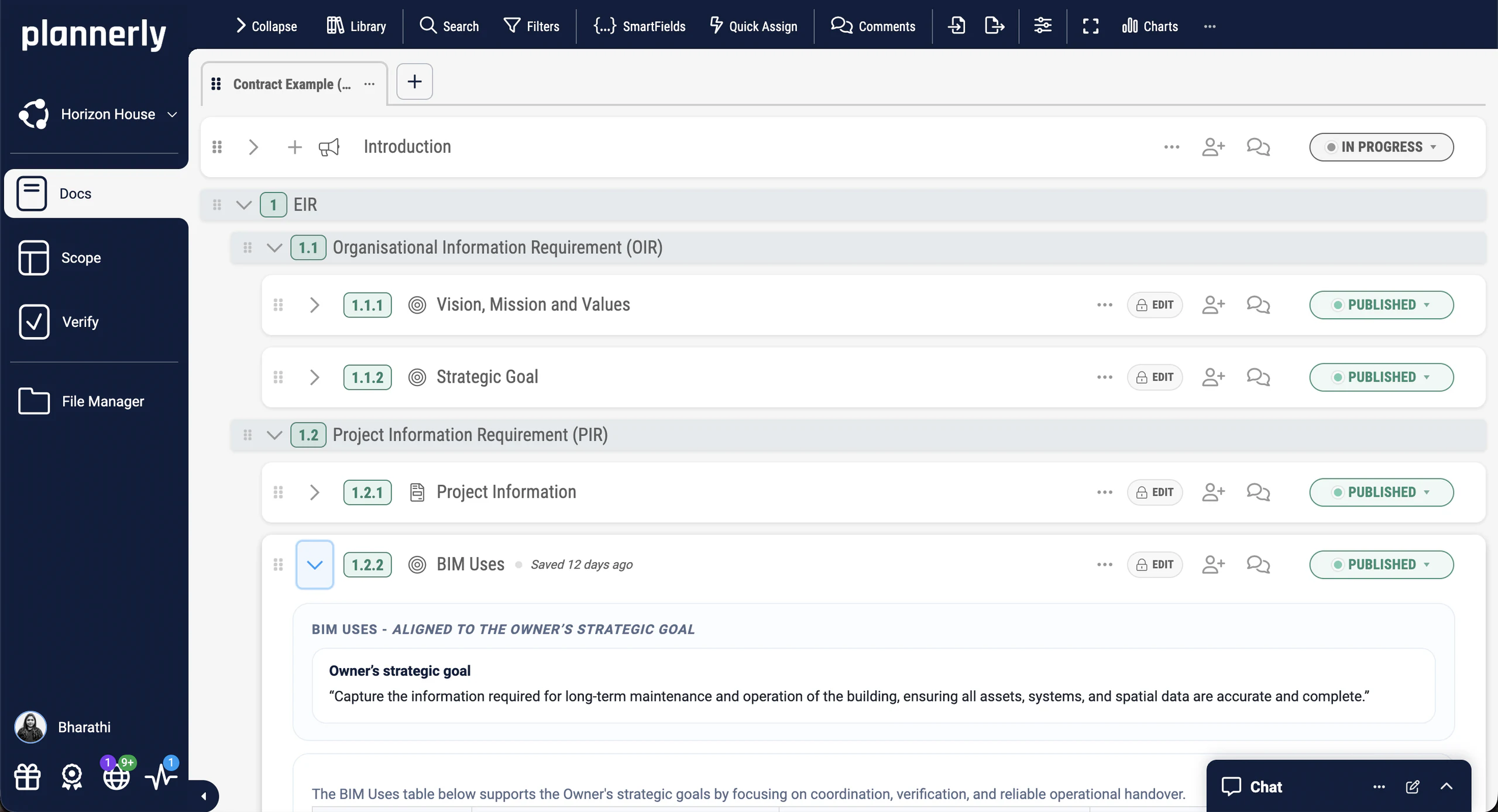
The client's EIR, in Docs
Each requirement becomes an editable section you can answer, discuss and track.
Free live webinar · Episode 3
Surviving ISO 19650 Information Requirements with AI
Build it. Connect it. Just ask Javis. Most owners aren't sure what to ask for, and requirements copied from the last job create work nobody needs. Three ways into your project's information requirements - build on the Plannerly API, connect your own AI with Plannerly MCP, or just ask Javis - on one structure your supply chain can check against.
Free webinar on Zoom · 45 minutes · How to survive as a BIM Manager
Thursday 22 October 2026
You'll leave with
- Requirements your supply chain can check against
- The ten building blocks every requirement hangs on
- Questions to ask Javis, Claude and ChatGPT about your project
- The example project and the MCP setup guide
Free download
Don't start the tender from last job's BEP: get a starter project and three ISO 19650 PDFs, free
EIR to BEP Survival Kit: a starter project and 3 PDFs
Everything to answer an EIR the way this page does: a starter project with the ISO 19650 BEP template ready in Docs, and three free PDFs on the EIR, the tender response and the pre-appointment BEP.
- 1 starter project
- 3 PDFs
- Free
EIR to BEP starter project
The ISO 19650 BEP template in Docs, ready for the client's EIR and your first AI-drafted answers.
Case studies
Teams that stopped writing BEPs from scratch
Three teams that moved their BEPs and appointment documents into Plannerly: BEP planning cut from 100+ hours to under 30, BIM setup from 90 days to 20, and BIM admin cut by more than 70% with reusable templates.
What changes when the delivery team works in a structure you can follow: a 16-project airport programme set up in 20 days instead of 90, with its goals built in from day one.
Delivery teams that answer the client's requirements once and reuse the structure: LIMSEN cut BEP planning from more than 100 hours to under 30 while coordinating 50 companies.
Design teams that write the BEP once and reuse it: SODArchitects cut BIM admin by more than 70% with reusable templates.
Consultants who run every client's BEP from one method: LIMSEN coordinated 50 companies and cut BEP planning from 100+ hours to under 30.
The documents your students will write on real projects, and how three firms write them today.
-
 Portugal

$4.5M / €4M
Saved · 310,000 sqm project
How one team saved over $4.5 million
LIMSEN Consultants · BIM management
Coordinated 50 companies and 45 BIM models on one of Portugal's largest mixed-use developments. BEP planning time dropped from 100+ hours to under 30.
Using Plannerly was a cornerstone for us. There is no going back.
Filipe Lima, Managing Partner · LIMSEN -
 Hong Kong

80% time saving
BIM & ESG verification
No more 90-day BIM setup delays
MTECH Engineering · Digital construction
Delivered 16+ major projects at Hong Kong International Airport. Setup time dropped from 90 days to 20 days, with ESG goals embedded from day one.
With Plannerly, we don't just create a plan, we live it. It's how we put the BIM Execution Plan into daily practice.
Stephen Au, Director · MTECH -
 Hungary
70% less admin
BIM management time saved
70% less admin, zero spreadsheet chaos
SODArchitects · Architecture
Cut over 70% of BIM administration time with reusable templates and a workflow that replaces Dropbox, SharePoint, and scattered spreadsheets.
Plannerly saved us a lot of time and hassle. We'd highly recommend it to anyone managing BIM projects.
Ivo Galantai, CEO · SODArchitects
See all case studiesOwners, design teams, contractors, consultants and educators - filter them by your kind of organisation.
What owners say
Owners on answers they can follow and compare
5 out of 5
Our design teams, PMs, and Clients love the clarity that Plannerly brings!
Matthew FullerBIM Program Lead · Texas Instruments 5 out of 5
Plannerly makes our conversations easier, it makes buy-in easier. It's a great basis of conversation and agreement.
Jeff ThompsonAssistant Director · Broward County


What contractors say
A contractor on winning work with a clear process
5 out of 5
Plannerly is both a tool and a process. It gives my teams an advantage over the competition.
Chris EveristBIM Manager · BNBuilders

What design teams say
Design teams on proposals and BEPs
5 out of 5
We use Plannerly for every proposal!
Steve GermanoDirector Design Technology · MSA Engineering 5 out of 5
It gives structure. It restructures everything. Everyone knows what they have to do.
András Ábele-NagyHead of BIM · BuildEXT


What consultants say
Consultants on one method for every client
5 out of 5
Plannerly accelerated our standards creation and virtually eliminated the burden to get updates to end users.
John RussoPresident · USIBD 5 out of 5
I feel like I work at Disneyland when I show off Plannerly. It's so simple and visual!
Cindy BaldwinPresident · VDCO Tech


What educators say
Educators on teaching the EIR and BEP
5 out of 5
Many software companies get this wrong. They don't create content or videos. You can't ask me to bring your tool into my curriculum when there's nothing for students to learn from. Plannerly has all of that.
Dr. Zulfikar AdamuAssociate Professor · London South Bank University 5 out of 5
Students love Plannerly and it makes my life so much easier!
Petro KaranxhaProfessor · George Brown College


Setup guides
Set up your EIR response in Plannerly, step by step
Short Help Center guides that walk you through each step in Plannerly. Open one beside the app and follow along.
Bring the EIR in
Start from the template
Draft each answer
Agree and sign
Free lessons
Learn to answer an EIR properly, one short lesson at a time
 Level 3 lesson - read the EIR
(EIR) Exchange Information Requirements
What an exchange information requirement must say, and how to read one before you answer it.
 Level 3 lesson - the tender
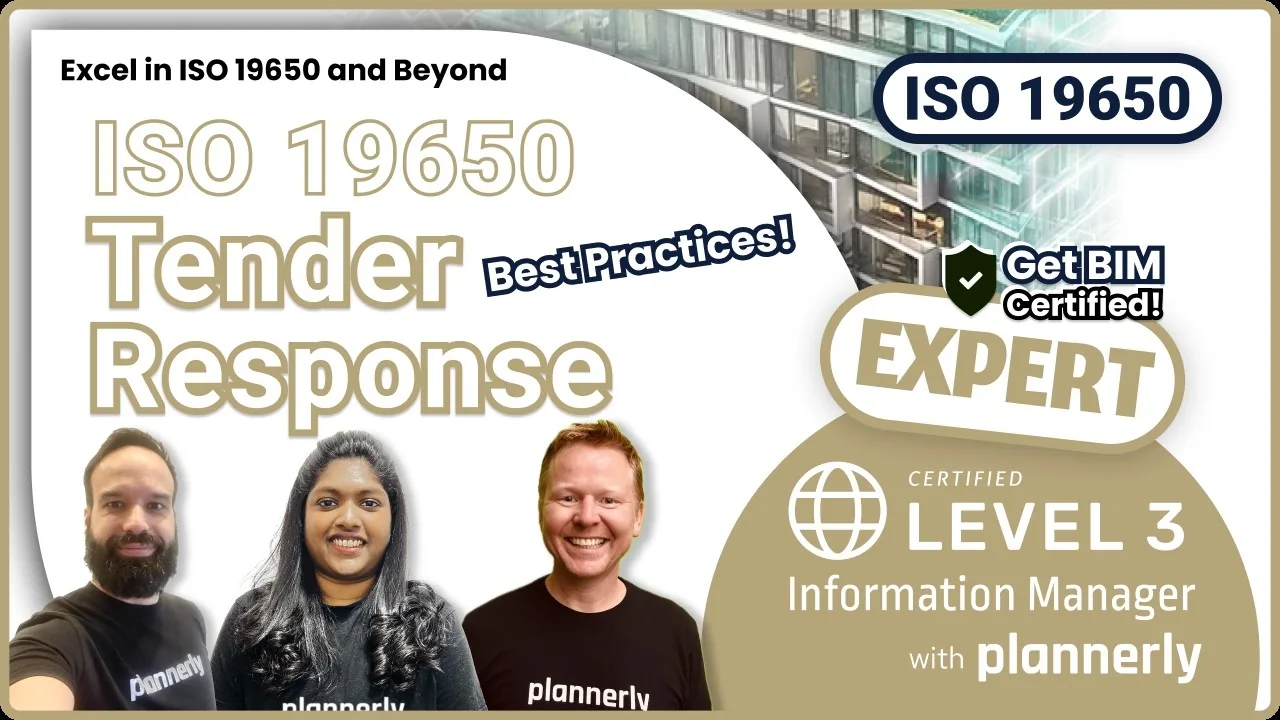
Tender Response Tasks
Everything ISO 19650 expects in a tender response, the BEP included.
 Level 1 lesson - writing with AI
Using AI to Create Documents
Start with AI and Write my section, step by step, then edit the draft into your own words.
 Level 3 - free certificate
ISO 19650 Expert
The EIR, the tender response and the BEP in the whole ISO 19650 process, with a free certificate. 16,600+ people have taken our free training, rated 4.9 out of 5 from thousands of ratings.
Read more
More on BEPs, EIRs and AI
AI in construction management
Where AI really helps an information manager today, and where it doesn't.
GuideAI writing tools for BIM documents
Start with AI, Write my section, and Correct, Expand, Simplify and Summarize.
AIBIM execution plan template
The ISO 19650 BEP template, ready to fill in and agree with your teams.
TemplateThe BIM execution plan guide
What goes in a BEP, and how to make sure the teams actually use it.
GuideEIR, PIR and BEP templates
Professional EIR, PIR and BEP documents, started from templates.
TemplatesWhat is ISO 19650?
The standard behind the EIR and the BEP, with free templates for each.
GuideQuestions
Questions about answering an EIR with a BEP
What is the difference between an EIR and a BEP?
Can AI write a BIM execution plan?
What should a BEP response to an EIR include?
Who writes the EIR, and who writes the BEP?
Can Plannerly read my EIR for me?
Is there a free EIR or BEP template?
Is my EIR used to train the AI?
How do I get the BEP agreed and signed?
Can I reuse my company's BEP on every project?
Do I need a paid plan to use AI in Docs?
Pricing
Start free, then pay per project when you're ready
- Five projects included
- The account owner edits; everyone they invite can view
- 100 MB of project files
- Explore Docs, Scope and Verify
- Write your BEP in Docs and invite people to view it
- Five projects included
- Unlimited editors and viewers
- 50 GB of project files
- Your branding on everything you export
- Each project beyond five: $49 a month
- More AI for drafting and editing every answer
- SmartFields, Word export and unlimited e-signatures
- Try every Pro feature free for 14 days, model checking included, no card
Prices in US dollars. You'll see the price for your country in the app.