Episode 3 · Replay
Surviving ISO 19650 Information Requirements with AI
Your client's information requirements arrive as a PDF. Watch Claude turn one into a pre-appointment BEP, a scope and a RACI in Plannerly, then ask Javis what's missing - with the slides, chapters and the AI question list.
Most owners aren't sure what to ask for. See how requirements become structured data your supply chain can check against - and how AI drafts the response from them.
Your client's EIR arrives as a PDF the week the bid is due. Watch AI draft the pre-appointment BEP, scope and RACI from it, so your time goes on winning, not retyping.
See the design team's deliverables, responsibilities and information needs set from the client's EIR in one session, with every answer traced to a requirement.
A repeatable way to turn any client's requirements into a plan, a scope and a RACI - with the AI you already use, on a structure you control.
ISO 19650 information requirements - OIR, PIR, AIR and EIR - shown working on a real project with AI, with slides and chapters you can use in class.
Plannerly APIBuild Anything
GET …/information-requirements
200 OK
"title": "Federated model"
"title": "Drawing renditions"
"title": "Specification"
Plannerly MCPBring Your Own AI
Your AI - Claude, ChatGPT or another
What does the architect owe us?
The federated model and the drawing renditions.

Information requirements
- Federated modelAR
- Drawing renditionsAR
- Specification?
- Fire strategy?
JavisJust Ask
Any responsibility gaps?
Nobody is Responsible for these yet:
Specification Fire strategy
Episode 3 - aired Thursday 22 October 2026
How to survive as a BIM Manager · Episode 3
Surviving ISO 19650 Information Requirements with AI
Build it. Connect it. Just ask Javis. Most owners aren't sure what to ask for, and requirements copied from the last job create work nobody needs. Three ways into your project's information requirements - build on the Plannerly API, connect your own AI with Plannerly MCP, or just ask Javis - on one structure your supply chain can check against.
Chapters
- Three ways into your project: API, MCP and Javis00:00
- What if you could just talk it through?00:40
- The ISO 19650 principle: every deliverable traces to a requirement03:10
- Why information requirements go wrong03:38
- "Let's just use AI" - and why AI needs structure05:48
- What if your requirements were data?07:10
- The structure your requirements stand on08:24
- Part 1: Plannerly API - create an API key09:39
- Build a live dashboard from project data12:29
- More API uses: onboarding and project start-up13:28
- Part 2: What is MCP (Model Context Protocol)?14:33
- Live demo: Claude turns a client EIR into a pre-appointment BEP15:37
- Every BEP answer traced back to the EIR19:32
- Inviting teams and building the RACI matrix20:47
- Charts: who owns what, and what's still unassigned22:57
- Scope, milestones and geometry for each data drop23:38
- Information requirements per milestone, with checking rules25:55
- Recap: PDF in, structured project out28:48
- Q&A: getting stakeholders to adopt information management29:39
- Part 3: Just ask Javis30:28
- Live: "What responsibility gaps can you identify?"32:11
- Sourced answers - and we don't train on your data34:18
- Where Javis is going: requirements by conversation35:30
- Next episode: Surviving the seven CDEs37:36
AI Survival Kit: the example project, the slides and the AI question list
Everything from Episode 3: the example project to explore and copy, all 32 slides, the 40 questions to ask Javis, Claude or ChatGPT, and the EIR explained.
- 1 example project
- 3 PDFs
- Free
Information requirements example project
A requirements project to explore and copy: OIR and EIR documents in Docs and a structured requirements list in Scope, staged by milestone, each requirement with the rule that checks it.
The slides
Click through the slides
All 32 slides from the episode. Use the arrows, swipe, or download the PDF.





Read all the slide text
Slide 1: Surviving ISO 19650 Information Requirements with AI
How to survive as a BIM Manager - Episode 3.
Surviving ISO 19650 Information Requirements with AI. Build it (API). Connect it (MCP). Just ask Javis.
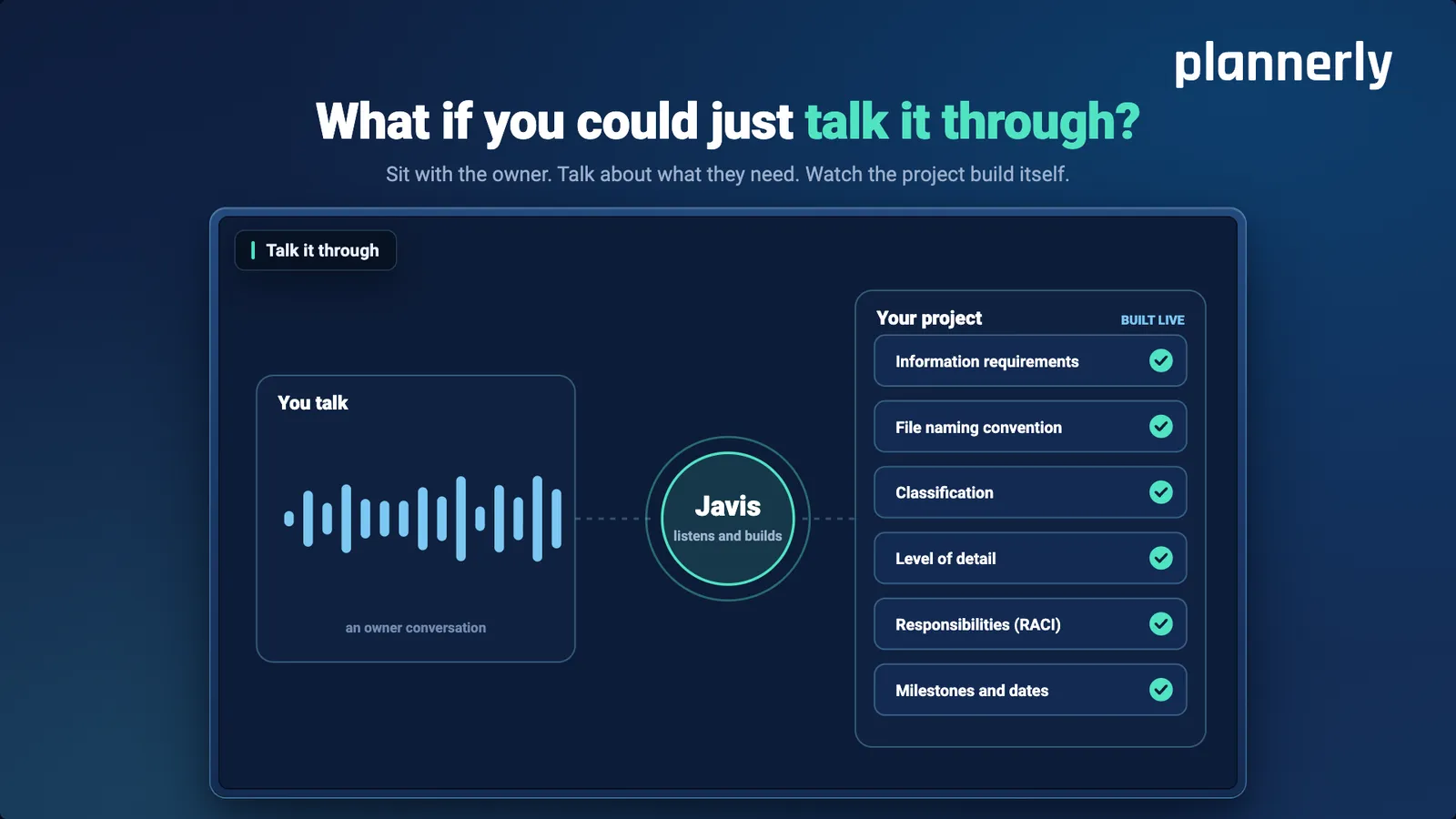
Slide 2: What if you could just talk it through?
Sit with the owner. Talk about what they need. Watch the project build itself.
How it works: you talk (an owner conversation), Javis listens and builds, and your project is built live - information requirements, file naming convention, classification, level of detail, responsibilities (RACI), milestones and dates.
Slide 3: The whole difference
Without structure, AI guesses differently every time. Plannerly gives it the structure.
Plannerly API builds it into anything you use. Plannerly MCP brings the AI you already have. Javis lets you just ask.
Slide 4: The ISO 19650 principle
Every deliverable should trace back to a requirement.
The owner's needs, cascading down into exactly what each team delivers - and why. In theory, nothing gets made that nobody asked for.
Slide 5: The first problem: the owner doesn't know what they want
The owner doesn't know what they want.
Slide 6: So, naturally: it gets copied from another project
It gets copied from another project.
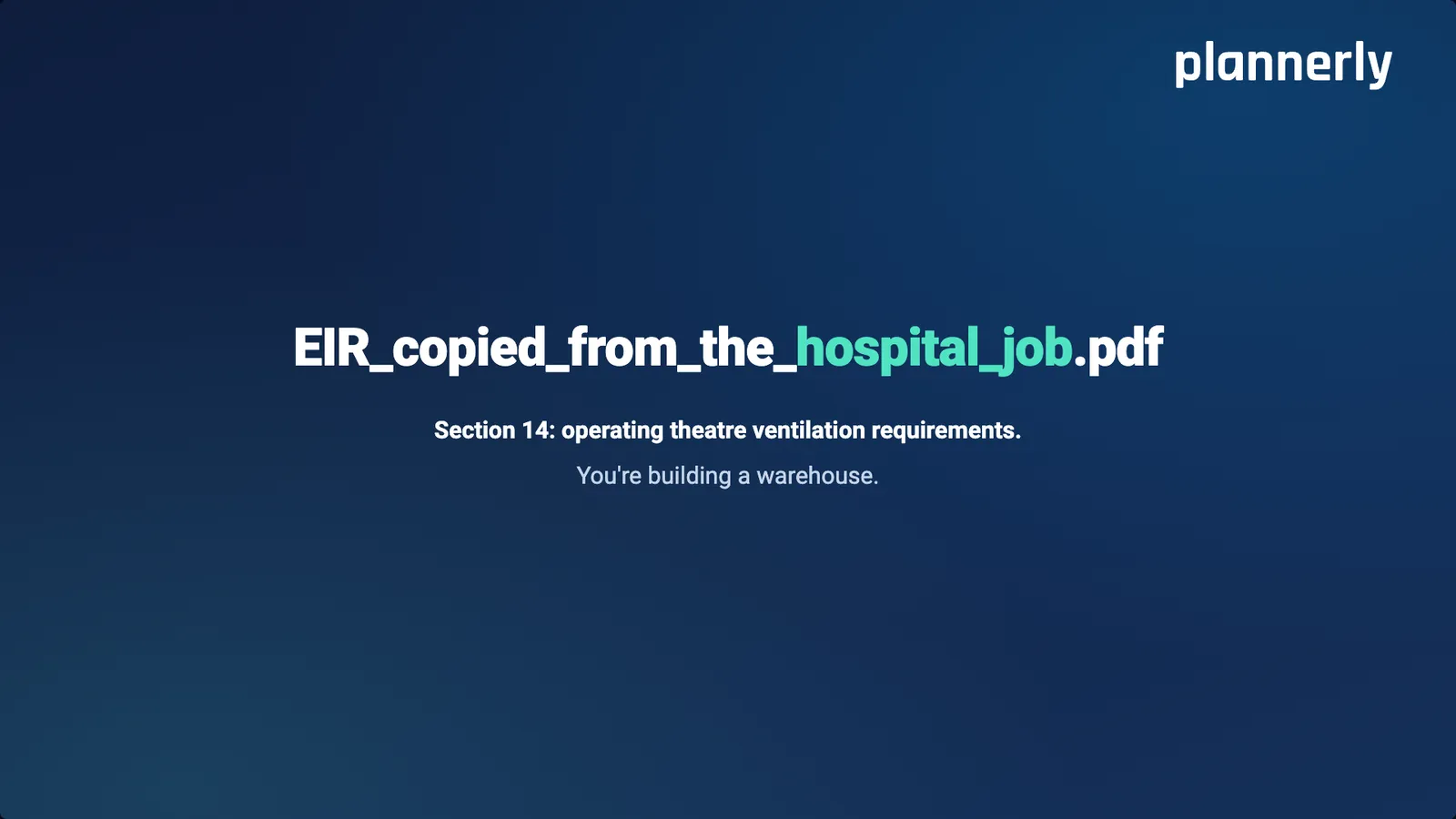
Slide 7: EIR_copied_from_the_hospital_job.pdf
Section 14: operating theatre ventilation requirements. You're building a warehouse.
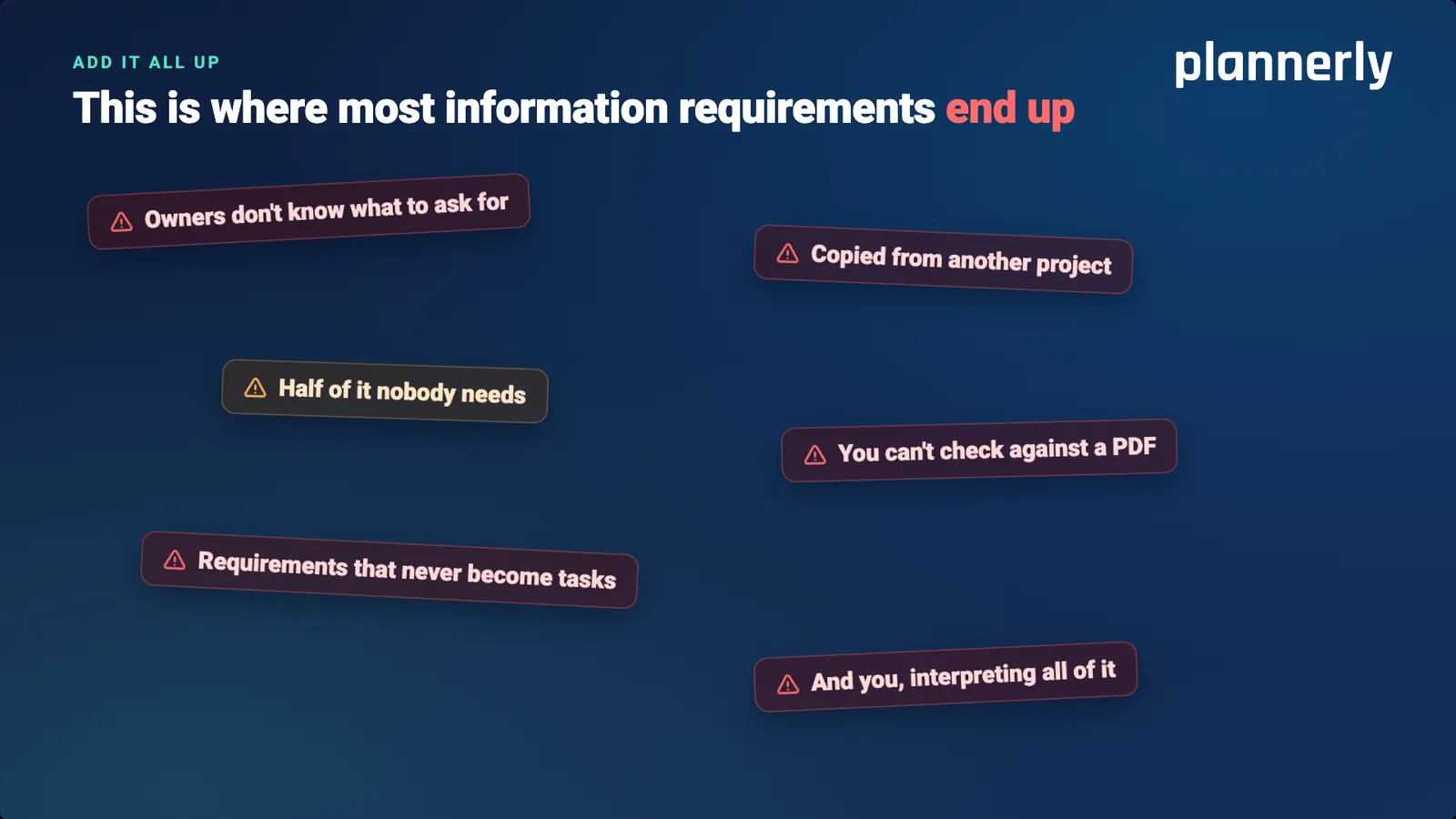
Slide 8: Add it all up: where most information requirements end up
This is where most information requirements end up:
Owners don't know what to ask for
Copied from another project
Half of it nobody needs
You can't check against a PDF
Requirements that never become tasks
And you, interpreting all of itSlide 9: Don't worry: we'll just use AI
We'll just use AI.
Slide 10: Ask it the same thing twice
Get two different answers.
Slide 11: To be fair to AI
It's not that it can't. It needs something to stand on.
Without a structure, every answer starts from scratch - and every correction snowballs. Give it a framework, and it stops starting from scratch.
Slide 12: Beta preview
We're giving your requirements something to stand on.
Live demo - then join the beta.
Slide 13: What if?
What if?
Slide 14: What if your requirements were data a system could read?
Not a PDF - structure your own tools can use directly.
Slide 15: What if the client saw their requirements defined live?
In a live online environment, not a static PDF.
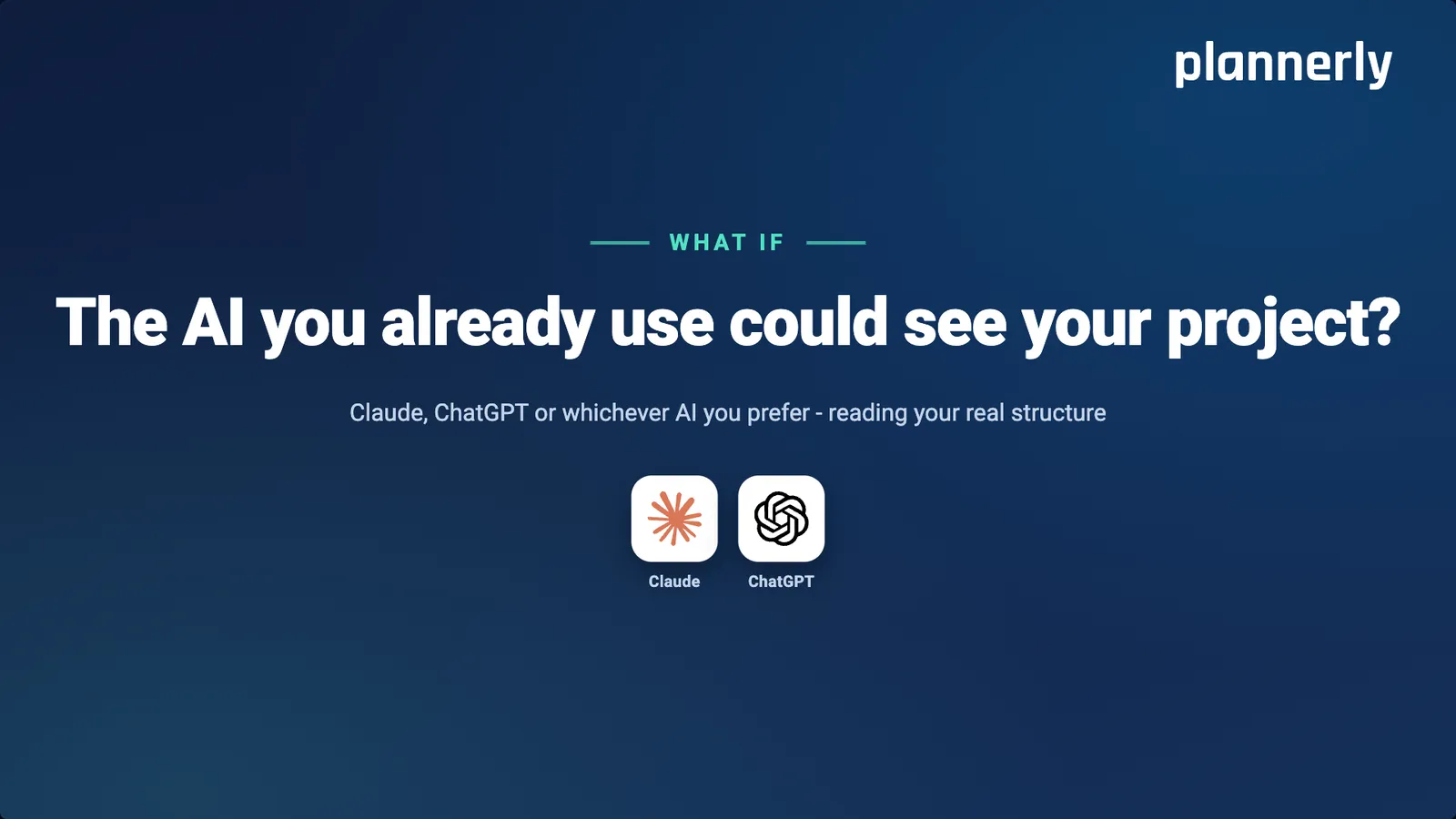
Slide 16: What if the AI you already use could see your project?
Claude, ChatGPT or whichever AI you prefer - reading your real structure.
Slide 17: What if you could just ask your project?
And get the answer with the evidence attached.
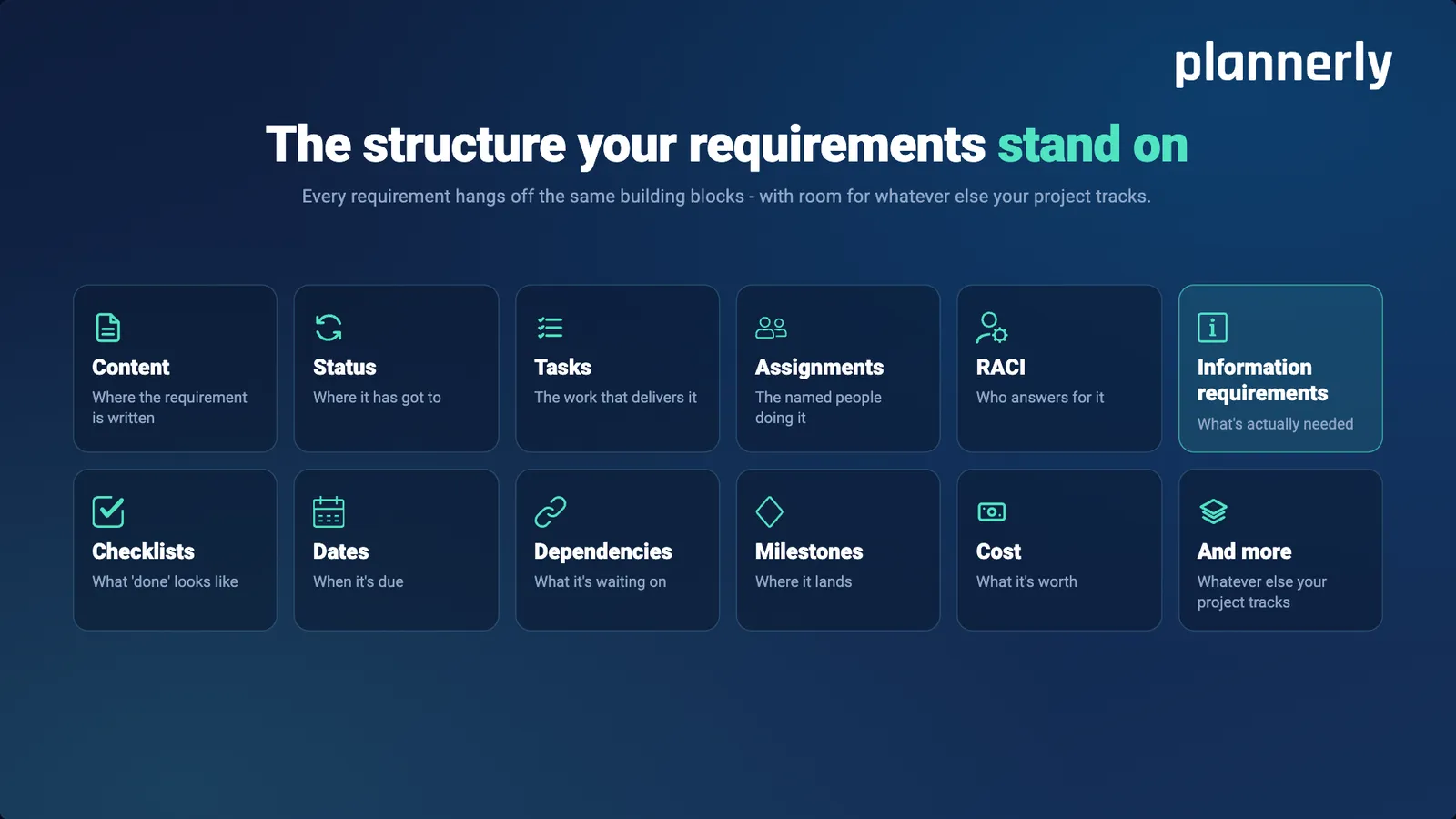
Slide 18: The structure your requirements stand on
Every requirement hangs off the same building blocks - with room for whatever else your project tracks.
Content - where the requirement is written
Status - where it has got to
Tasks - the work that delivers it
Assignments - the named people doing it
RACI - who answers for it
Information requirements - what's actually needed
Checklists - what "done" looks like
Dates - when it's due
Dependencies - what it's waiting on
Milestones - where it lands
Cost - what it's worth
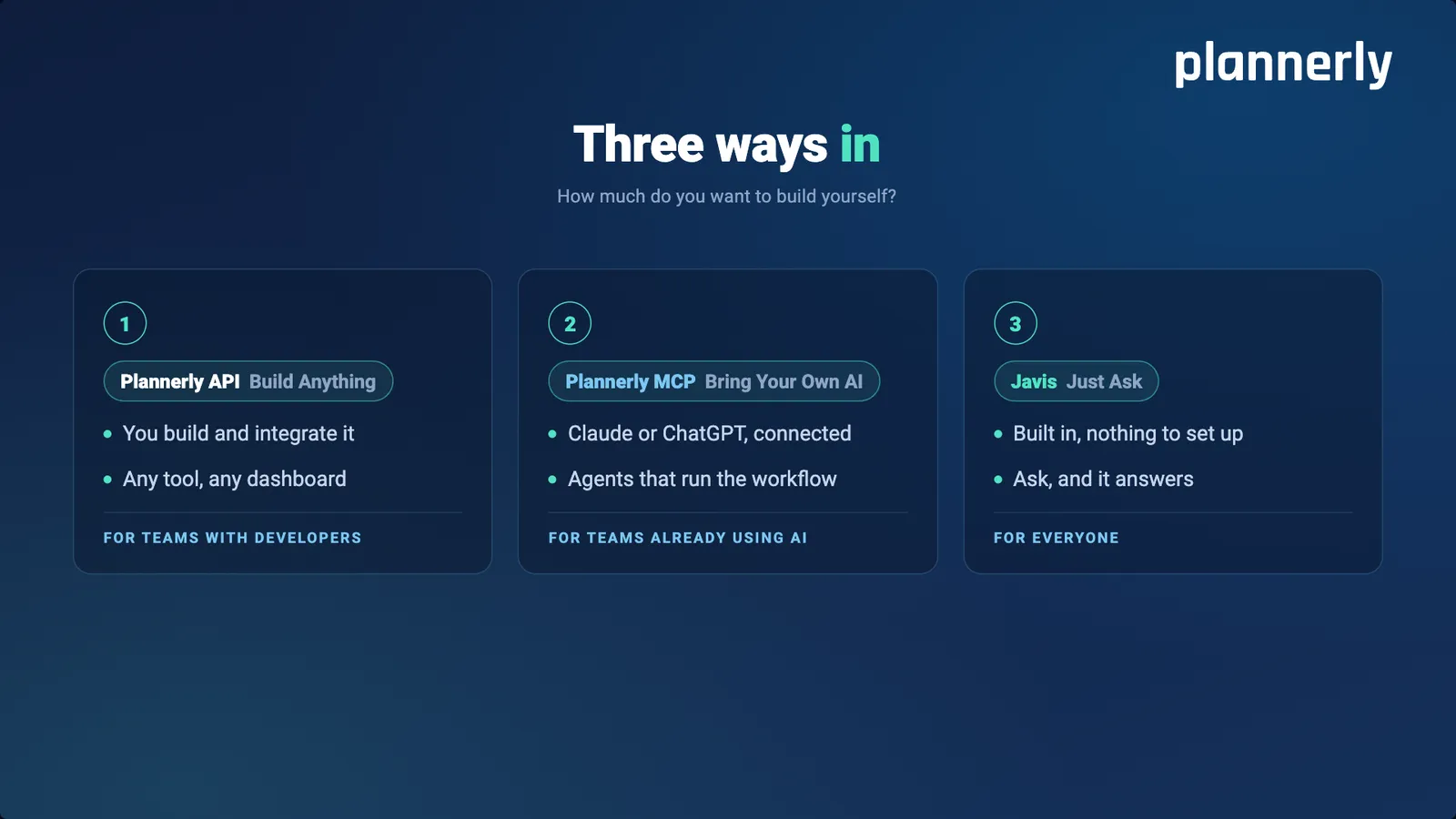
And more - whatever else your project tracksSlide 19: Three ways in
How much do you want to build yourself?
1. Plannerly API - build anything. You build and integrate it: any tool, any dashboard. For teams with developers.
2. Plannerly MCP - bring your own AI. Claude or ChatGPT, connected: agents that run the workflow. For teams already using AI.
3. Javis - just ask. Built in, nothing to set up: ask, and it answers. For everyone.Slide 20: Part 1 of 3: Plannerly API - build anything
Every requirement, task and responsibility - readable by anything you build.
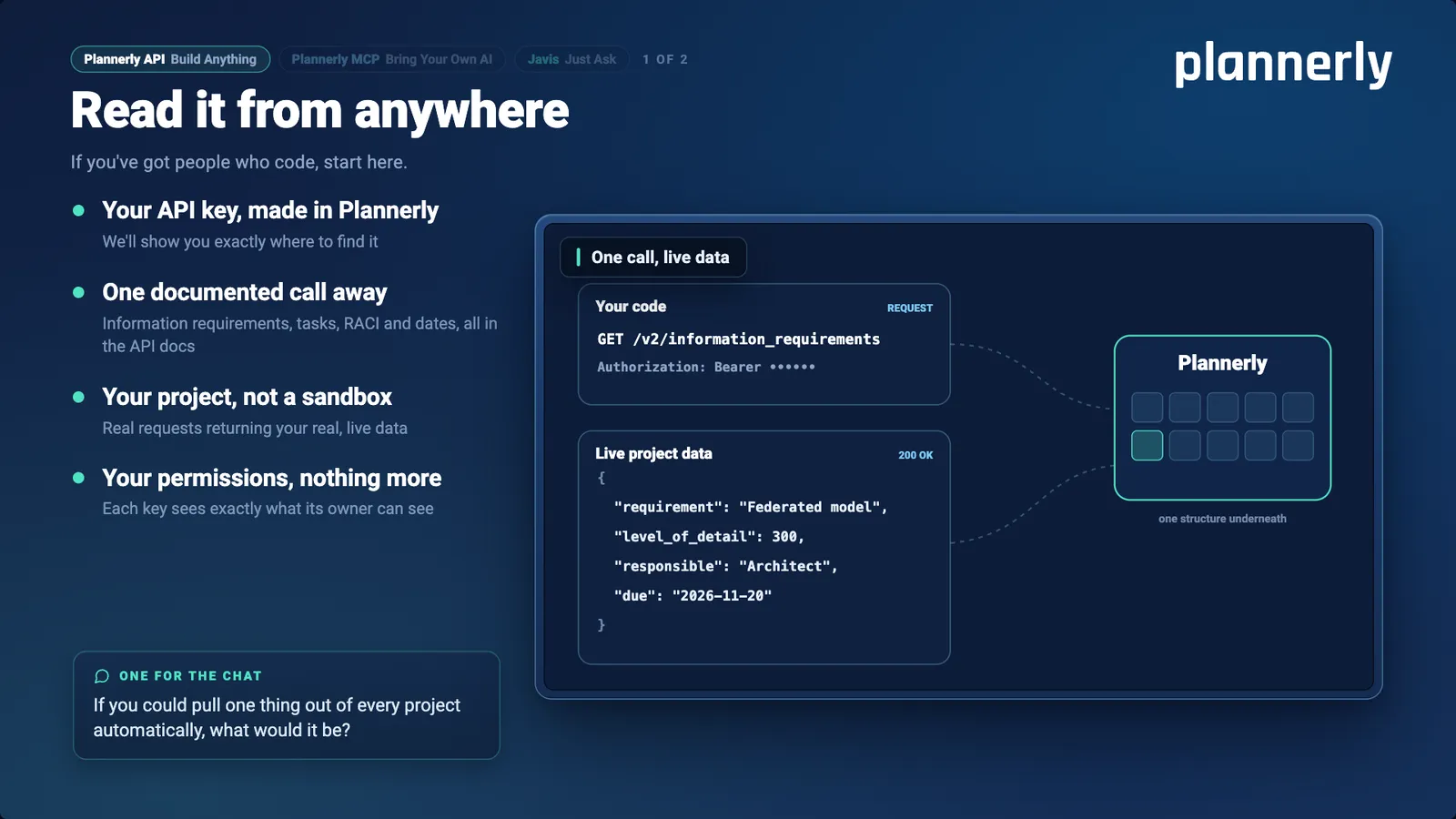
Slide 21: Plannerly API: read it from anywhere
If you've got people who code, start here.
Your API key, made in Plannerly - we'll show you exactly where to find it.
One documented call away - information requirements, tasks, RACI and dates, all in the API docs.
Your project, not a sandbox - real requests returning your real, live data.
Your permissions, nothing more - each key sees exactly what its owner can see.One for the chat: if you could pull one thing out of every project automatically, what would it be?
How it works: your code makes one request for the project's information requirements with its key, and Plannerly answers with live project data - for example a federated model at level of detail 300, the architect responsible, due 20 November 2026.
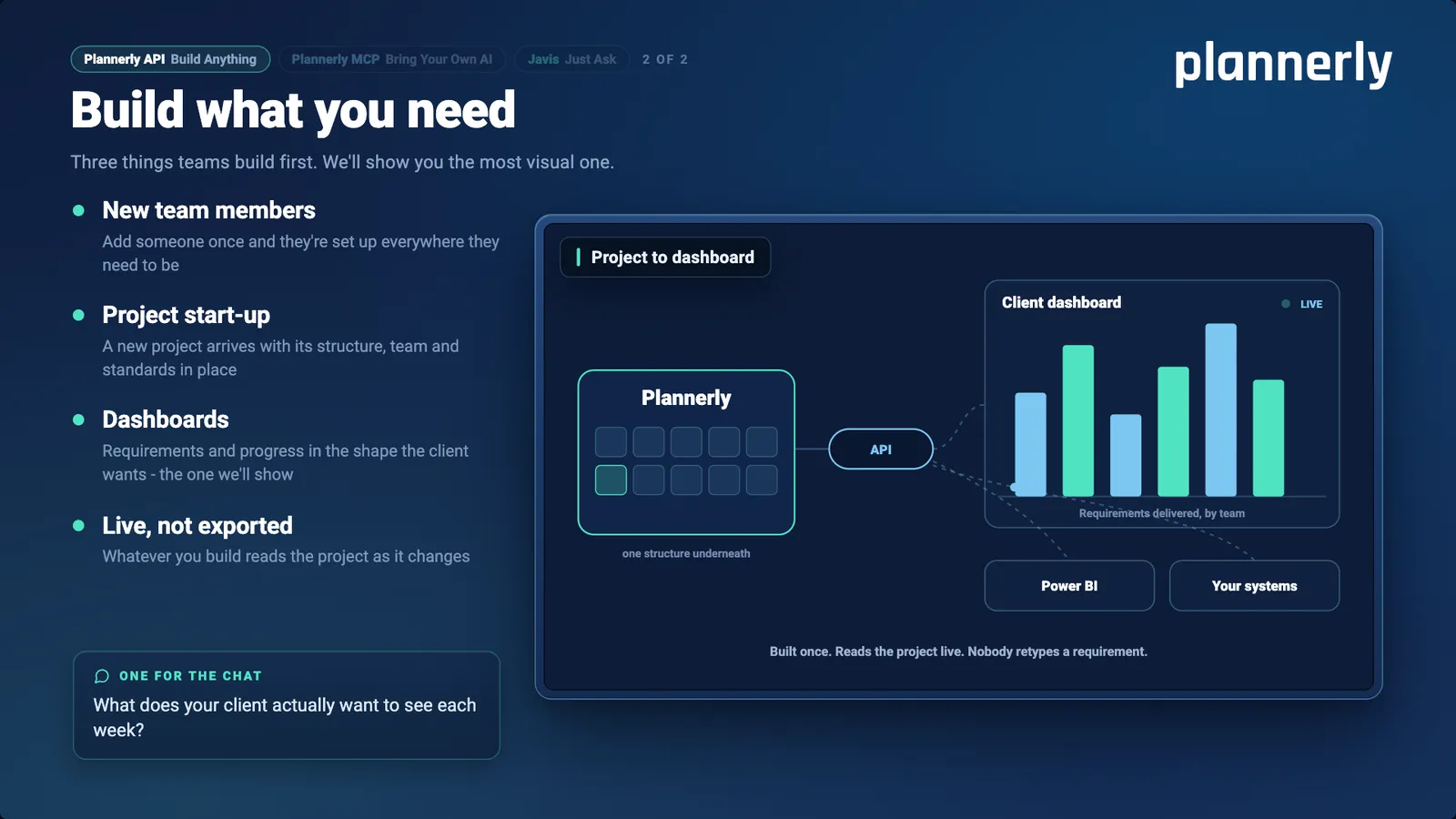
Slide 22: Plannerly API: build what you need
Three things teams build first. We'll show you the most visual one.
New team members - add someone once and they're set up everywhere they need to be.
Project start-up - a new project arrives with its structure, team and standards in place.
Dashboards - requirements and progress in the shape the client wants.
Live, not exported - whatever you build reads the project as it changes.One for the chat: what does your client actually want to see each week?
How it works: Plannerly, through the API, feeds a live client dashboard of requirements delivered by team, Power BI and your own systems. Built once. Reads the project live. Nobody retypes a requirement.
Slide 23: Part 2 of 3: Plannerly MCP - bring your own AI
The AI you already use, talking to your project - with the structure underneath it.
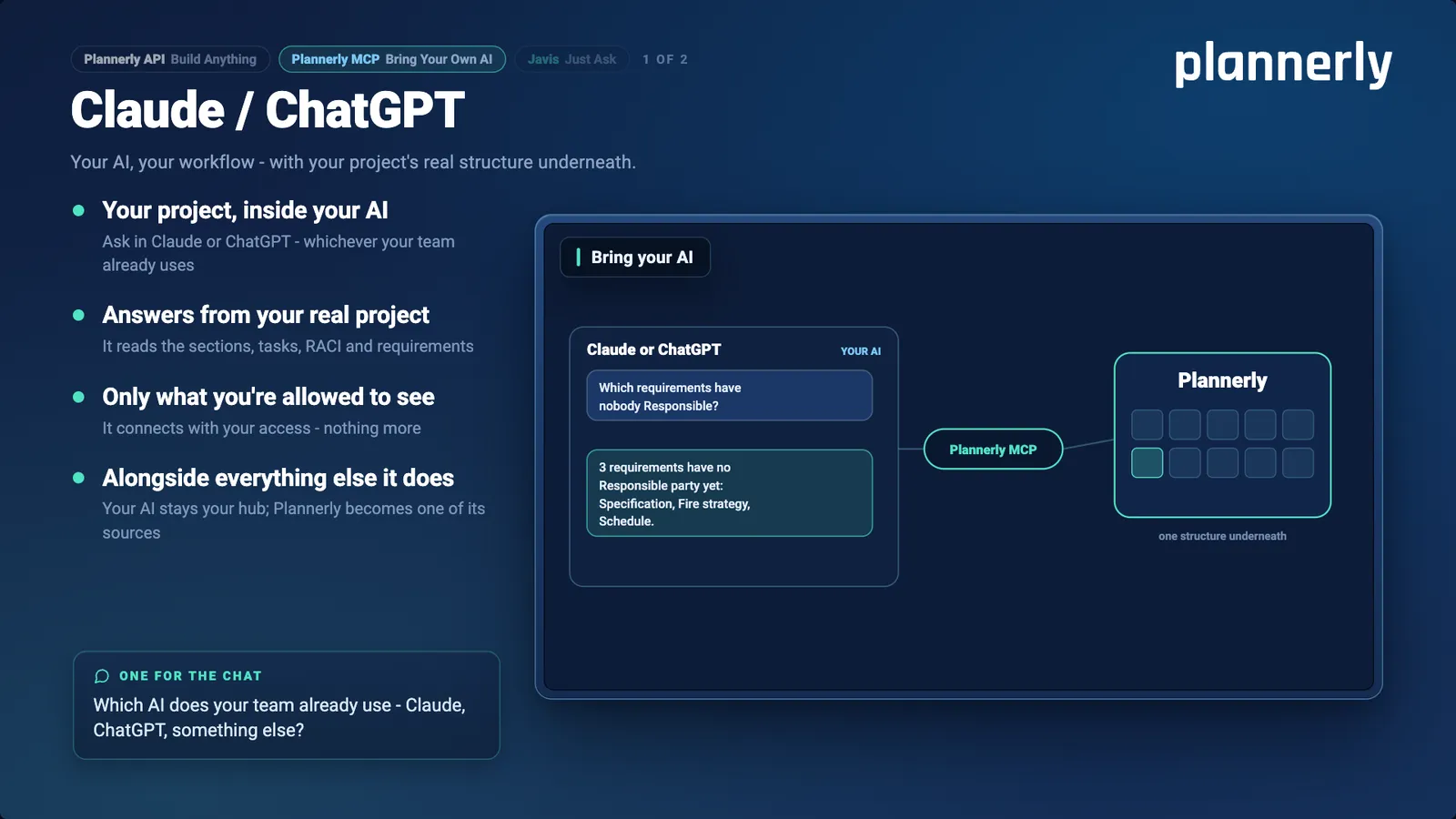
Slide 24: Plannerly MCP: Claude / ChatGPT
Your AI, your workflow - with your project's real structure underneath.
Your project, inside your AI - ask in Claude or ChatGPT, whichever your team already uses.
Answers from your real project - it reads the sections, tasks, RACI and requirements.
Only what you're allowed to see - it connects with your access, nothing more.
Alongside everything else it does - your AI stays your hub; Plannerly becomes one of its sources.One for the chat: which AI does your team already use - Claude, ChatGPT, something else?
How it works: asked "Which requirements have nobody Responsible?", Claude or ChatGPT answers through Plannerly MCP that 3 requirements have no Responsible party yet - Specification, Fire strategy and Schedule.
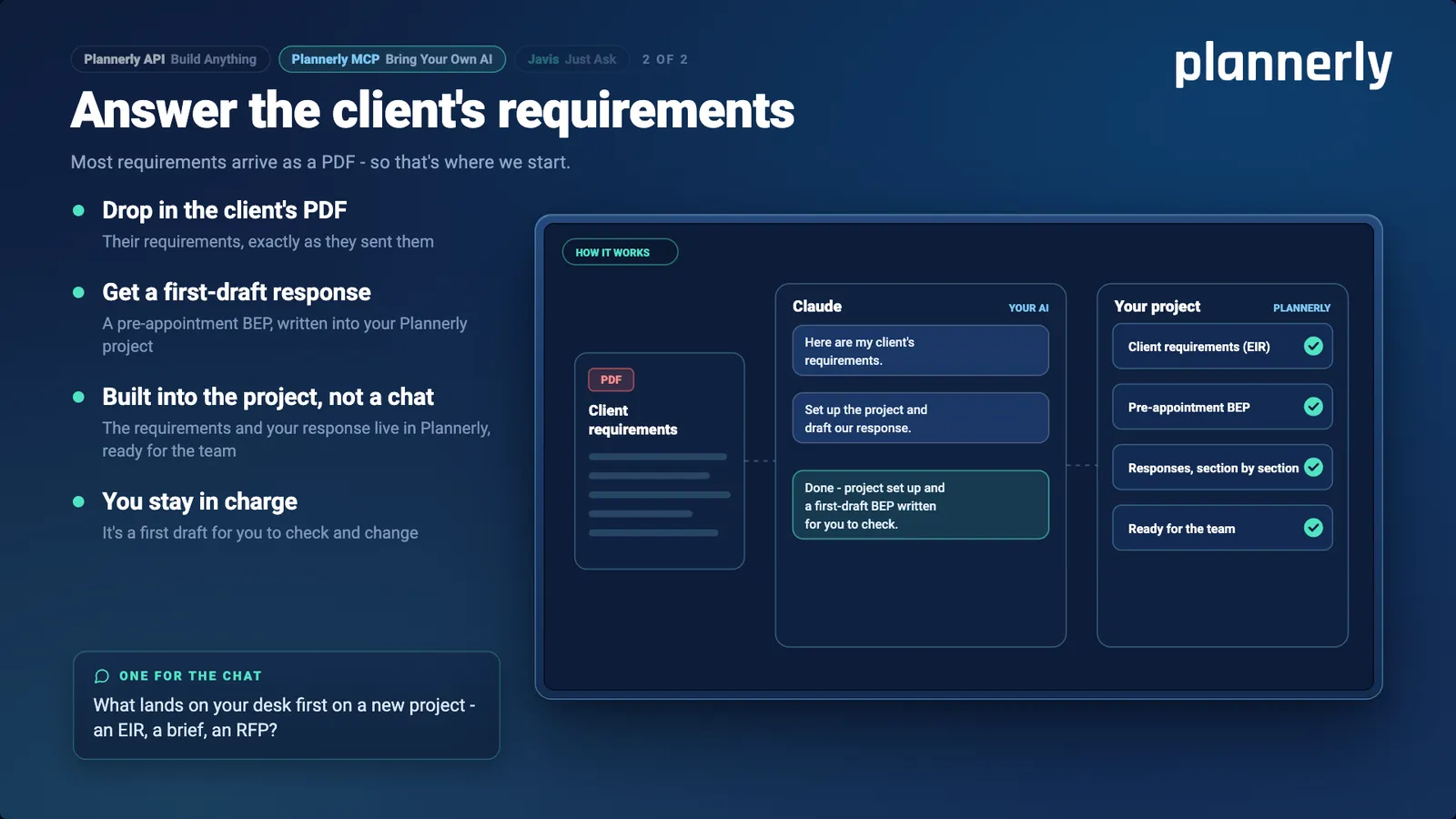
Slide 25: Plannerly MCP: answer the client's requirements
Most requirements arrive as a PDF - so that's where we start.
Drop in the client's PDF - their requirements, exactly as they sent them.
Get a first-draft response - a pre-appointment BEP, written into your Plannerly project.
Built into the project, not a chat - the requirements and your response live in Plannerly, ready for the team.
You stay in charge - it's a first draft for you to check and change.One for the chat: what lands on your desk first on a new project - an EIR, a brief, an RFP?
How it works: the client's requirements PDF goes to Claude - "Here are my client's requirements. Set up the project and draft our response." Your Plannerly project then holds the client requirements (EIR), a pre-appointment BEP and responses section by section, ready for the team.
Slide 26: Part 3 of 3: Javis - just ask
Already inside Plannerly. Nothing to connect, nothing to build.
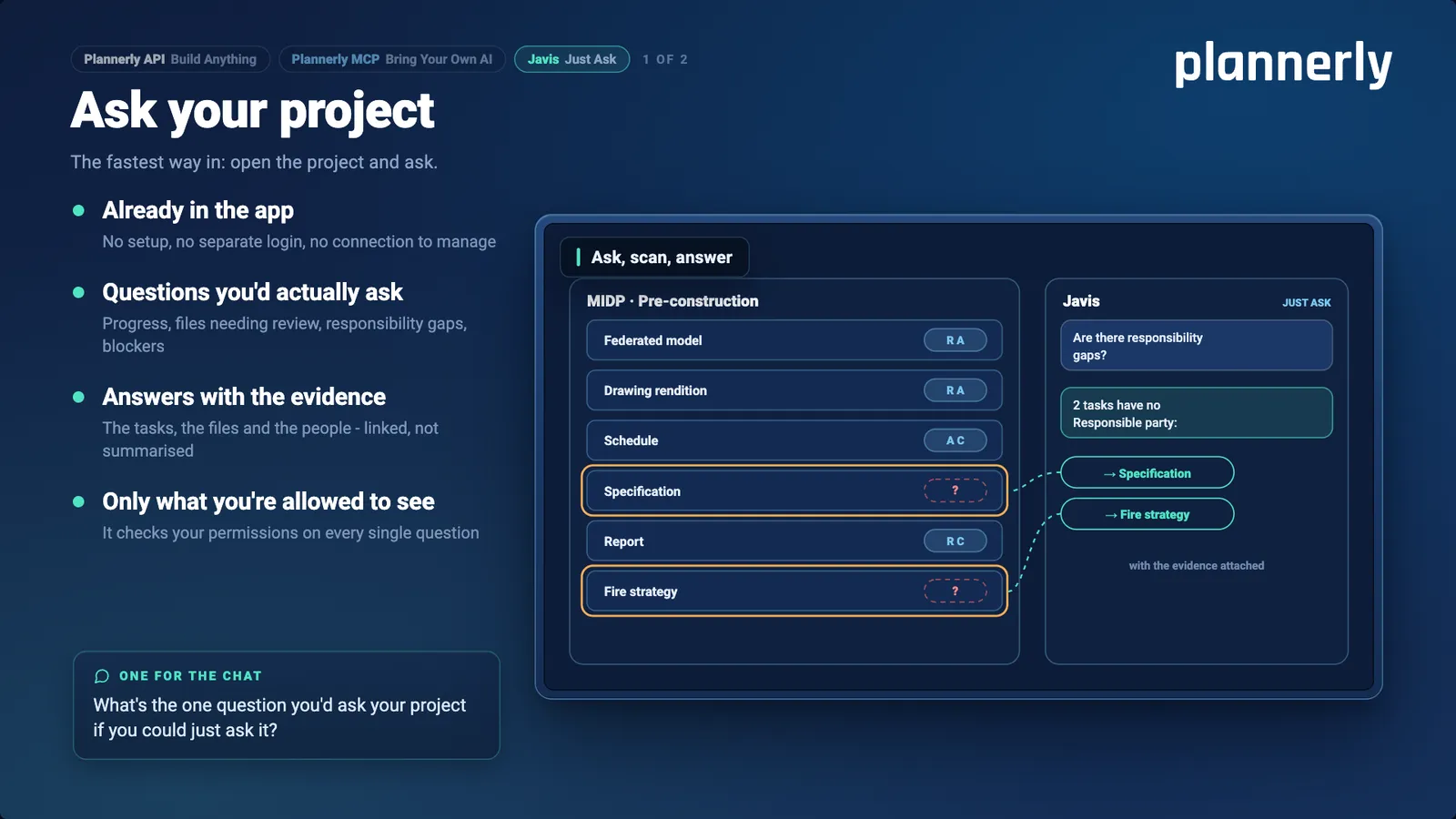
Slide 27: Javis: ask your project
The fastest way in: open the project and ask.
Already in the app - no setup, no separate login, no connection to manage.
Questions you'd actually ask - progress, files needing review, responsibility gaps, blockers.
Answers with the evidence - the tasks, the files and the people, linked, not summarised.
Only what you're allowed to see - it checks your permissions on every single question.One for the chat: what's the one question you'd ask your project if you could just ask it?
How it works: asked "Are there responsibility gaps?" in an MIDP, Javis answers that 2 tasks have no Responsible party - Specification and Fire strategy - with the evidence attached.
Slide 28: Where Javis is going: requirements, by conversation
Sit with the owner, talk it through, and watch the project build itself as you go. Sections, standards, naming, classification, level of detail - all of it.
This is where it's all heading - and the part the beta is for.
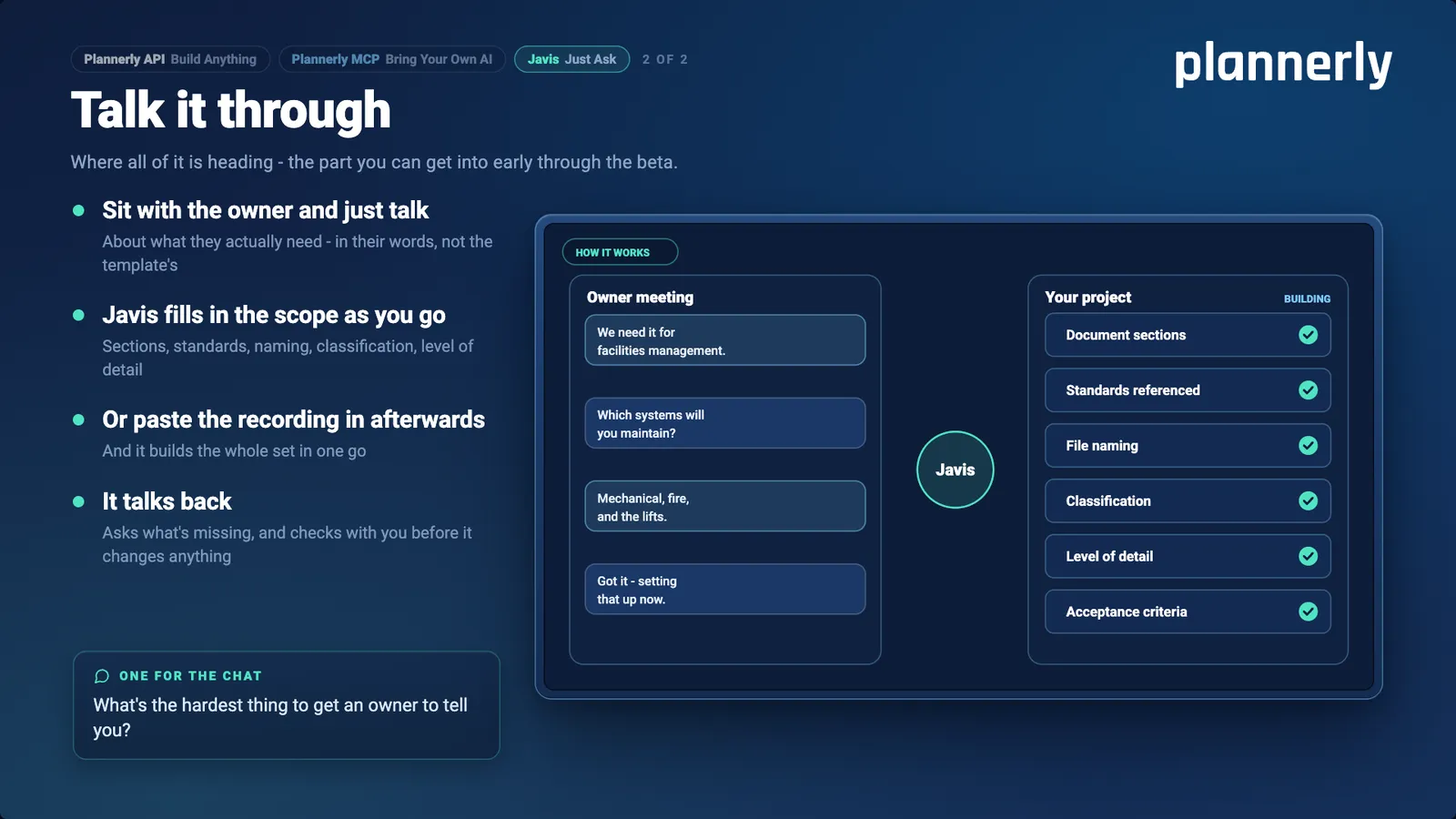
Slide 29: Javis: talk it through
Where all of it is heading - the part you can get into early through the beta.
Sit with the owner and just talk - about what they actually need, in their words, not the template's.
Javis fills in the scope as you go - sections, standards, naming, classification, level of detail.
Or paste the recording in afterwards - and it builds the whole set in one go.
It talks back - asks what's missing, and checks with you before it changes anything.One for the chat: what's the hardest thing to get an owner to tell you?
How it works: in an owner meeting - "We need it for facilities management." "Which systems will you maintain?" "Mechanical, fire, and the lifts." "Got it - setting that up now." - Javis builds the project's document sections, standards referenced, file naming, classification, level of detail and acceptance criteria.
Slide 30: Your AI Survival Kit
Three things to take with you:
The example project - a complete project to explore and copy.
The question list - what to ask Javis, Claude or ChatGPT.
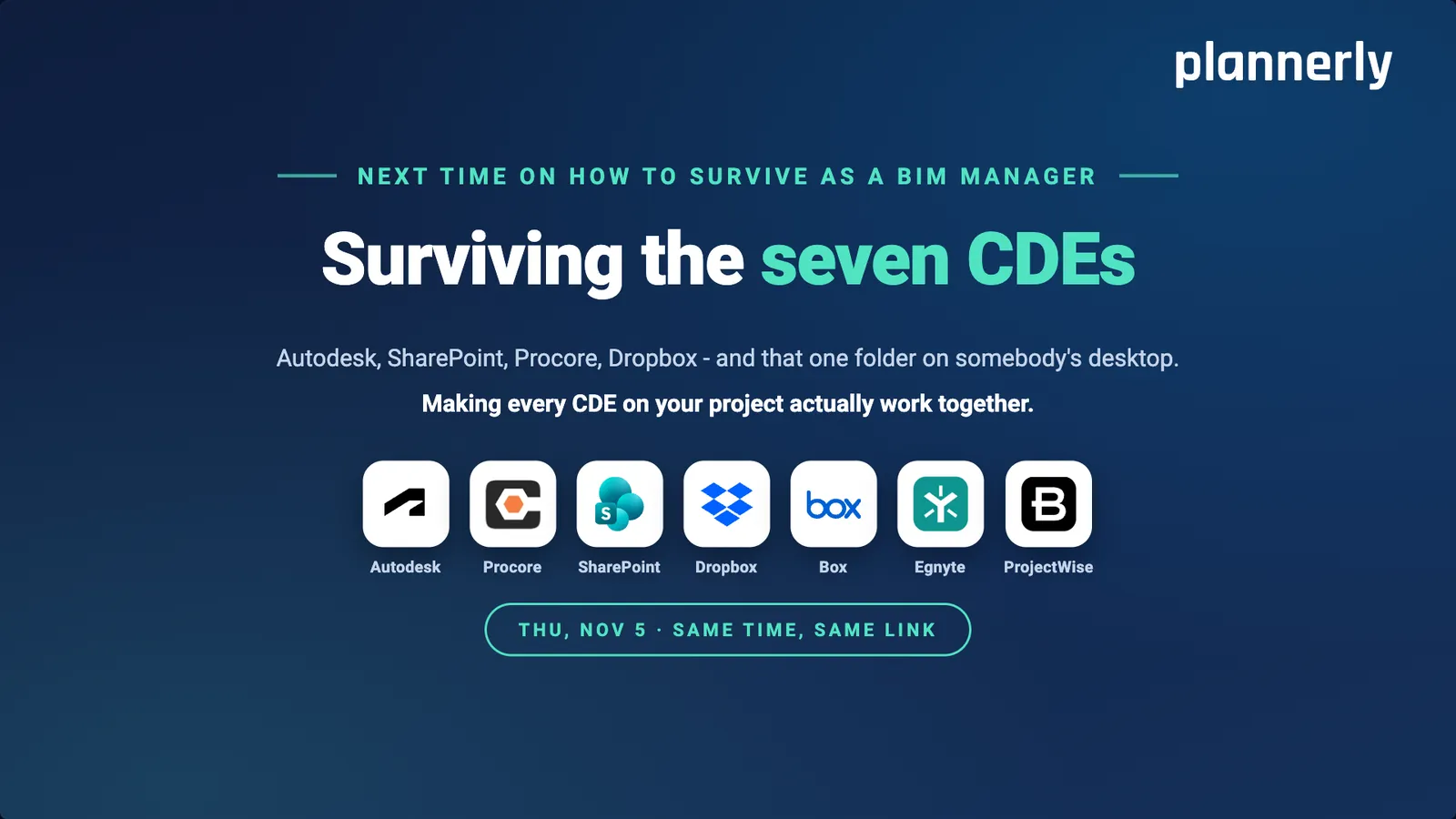
A place in the beta - type "add me" in the chat.Slide 31: Next time: Surviving the seven CDEs
Next time on How to survive as a BIM Manager: Surviving the seven CDEs. Autodesk, SharePoint, Procore, Dropbox - and that one folder on somebody's desktop. Making every CDE on your project actually work together.
Autodesk, Procore, SharePoint, Dropbox, Box, Egnyte and ProjectWise.
Thursday 5 November - same time, same link.
Slide 32: Thank you
Build it (API). Connect it (MCP). Just ask Javis.
Join the beta: type "add me" in the chat.
Every step's full walkthrough - free: plannerly.com/training
Episode 4 - Surviving the seven CDEs: Thursday 5 November, same link.
Most ISO 19650 information requirements arrive as a PDF, and a PDF is something people read, not something a system can check. In Episode 3 of How to survive as a BIM Manager we show three ways to turn requirements into structured project data that AI can work with: build on the Plannerly API, connect the AI you already use through Plannerly MCP, or just ask Javis inside Plannerly. In the live demo, Claude turns a client's exchange information requirements (EIR) into a pre-appointment BIM execution plan, a scope, a RACI matrix and checkable information requirements in one session.
What are ISO 19650 information requirements?
Information requirements are the appointing party's written description of the information it needs, why it needs it and when. ISO 19650-1 sets them up as a cascade, so every deliverable can trace back to a reason somebody asked for it:
| Requirement | Full name | What it answers |
|---|---|---|
| OIR | Organizational information requirements | What the organization needs to know to run its business and its estate |
| PIR | Project information requirements | What the client needs to make decisions on this project |
| AIR | Asset information requirements | What the operator needs about the finished asset - for example serial numbers and asset IDs at handover |
| EIR | Exchange information requirements | What each appointed party must deliver, in what form and at which milestone |
The principle is simple: in theory, nothing gets produced that nobody asked for. That only works when each requirement is connected to the task, the team and the milestone that delivers it.
Why do information requirements go wrong?
Usually for one of four reasons, and most projects have more than one:
- The owner doesn't know what to ask for. Ask for their information requirements and you often get a blank stare, followed by "can we have ISO 19650 and BIM on this project?"
- They're copied from another project. The classic is the EIR copied from the hospital job, with a section on operating theatre ventilation, issued for a warehouse. Teams even see their own requirements from a previous bid come back to them on a later project.
- Half of it has no customer. Copy-and-paste requirements ask for far more than anyone will use, and every item still has to be produced.
- A PDF can't be checked. It's a block of text that never becomes tasks someone owns, so nobody can show which requirements have been met.
In the poll at the start of the session, most of the audience said their requirements arrive as a PDF from the client. Many delivery teams end up writing the client's requirements for them before they can plan their own work.
Can AI write your information requirements for you?
It can draft them, but not reliably on its own. Ask a general-purpose AI the same question twice and you can get two different answers, which doesn't work in a contractual environment where requirements have to be repeatable and auditable. AI needs something to stand on: a fixed structure of requirements, tasks, responsibilities, milestones and checks. With that underneath, it stops starting from scratch every time.
In Plannerly every requirement hangs off the same building blocks: content, status, tasks, assignments, RACI, information requirements, checklists, dates, dependencies, milestones and cost. That shared structure is what the API, MCP and Javis all read and write.
What are the three ways to connect AI to a BIM project?
| Plannerly API | Plannerly MCP | Javis | |
|---|---|---|---|
| Tagline | Build anything | Bring your own AI | Just ask |
| Best for | Teams with people who write code | Teams already using Claude or ChatGPT | Everyone else - no setup |
| What you need | An API key | Your AI tool, connected to Plannerly | A Plannerly project |
| Typical use | Dashboards, onboarding, project start-up | Drafting a BEP from an EIR, setting up scope and RACI | "Are there any responsibility gaps?" |
| Status (22 Oct 2026) | Available | Beta - join below | Beta - join below |
Many companies use all three, because different people on the same team sit at different places on that scale.
How do you create a Plannerly API key?
- Open API keys from your account settings, from your profile, or from the bottom of a project's settings.
- Click New key and give it a name you'll recognise later.
- Set an expiry date. We strongly recommend one rather than "no expiration".
- Choose read and write access for each part of Plannerly the key needs.
- Use it in your code to call the API and get your live project data back.
A key can never see more than the person who made it. It inherits that person's roles and permissions in each project, so you can let anyone on the team create keys while the project still decides what they can read and change.
What can you build on the Plannerly API?
- Dashboards in the shape the client wants. The episode shows a sustainability dashboard - embodied carbon, measures and progress - built entirely from live project data.
- New team member onboarding. Add someone once and set them up in Plannerly automatically.
- Project start-up. Start a new project from your template so it arrives with its structure, team and standards in place.
What is MCP, and what does it do for a BIM manager?
MCP, the Model Context Protocol, is an open standard that lets an AI assistant such as Claude or ChatGPT use another system's tools and data. With Plannerly MCP your AI can read and write your Plannerly project, with your permissions and nothing more. You keep chatting in the AI you already use; Plannerly becomes the structured dashboard where the work lands.
How do you turn a client's EIR into a pre-appointment BEP with AI?
This is the demo Akos Hamar, Plannerly's COO, ran live, connecting Claude to Plannerly. The client's EIR was a well-prepared one for a mobility hub, assembled from the OIR, PIR and AIR, with goals, milestones and standards.
- Give Claude the client's EIR (the PDF, attached) and ask for a pre-appointment BIM execution plan.
- Answer its questions. Which past projects should it learn from (a bridge, a railway and a highway project), what worries you most (models from different teams that might not line up) and how you plan to win (one federated model).
- Let it build the project. A new project appears in the tender workspace, with the EIR stored as the reference document and a draft pre-appointment BEP whose sections answer the EIR's questions, using your past projects and templates.
- Review every answer against the requirement it answers. SmartFields and references are filled in from the EIR, so each section traces back to a client need.
- Invite the teams and build the RACI. Make a team accountable for each section, name the responsible person and add anyone to be consulted, including the appointing party.
- Check the charts. In the demo, around 90% of the document sections still needed an owner, which is exactly where to focus next.
- Open the scope. Three milestones - three data drops, the last one handover - came straight from the EIR, with tasks assigned to civil, structural and MEP teams and images showing how much geometry each milestone needs.
- Check the information requirements per milestone. Classification for coordination, manufacturer information for technical design, serial number and asset ID for handover - each with a checking rule that will pass or fail the delivered information.
The AI doesn't make the decisions. It gets you to a structured first draft quickly, so the time goes into refining the plan with your designers, suppliers and client rather than creating it from scratch.
What is Javis?
Javis is the assistant built into every Plannerly project's chat panel. There's nothing to connect and nothing to build: open the project and ask. In the episode we asked "What responsibility gaps can you identify for the project?" and Javis named the tasks - carriageways and a steel truss among them - where a team was assigned but nobody was accountable for delivering.
Every answer is sourced, so you can see which tasks, files and people it came from. And it knows the rules: when Clive Jordan, Plannerly's co-founder, asked Javis to add him to the traffic signals task, it politely said no - he isn't on the team that delivers it - and suggested asking the task owner. Javis 1, Clive 0. That's exactly the kind of mistake it's there to stop, live webinar or not.
Javis is in beta, and every answer has Helpful and Needs improvement buttons, so tell us when it gets one wrong.
Does Plannerly use your project data to train AI?
No. We do not learn from your data. Javis gets better at the framework - ISO 19650, requirements, responsibilities - but the data in your projects stays yours.
Where is this heading?
Requirements by conversation. Sit with the owner, in a meeting or on a call, and talk through what they need: the standards to follow, naming and classification, level of information need, how statuses and payments work, roles, language and time zone. Plannerly builds the project as you talk, live on screen or afterwards from the transcript. Voice conversations with Javis are on the way too.
Want in early? Join the beta for Plannerly MCP and Javis - open the chat on plannerly.com and type "add me".
Keep going
Do the same on your project
EIR to BEP with AI
The job from this episode, step by step: a client's EIR in, a first-draft pre-appointment BEP out.
Episode 3Set the information requirements
OIR, PIR, AIR and EIR as structured requirements your supply chain can check its own work against.
Episode 3EIR template
A free ISO 19650 exchange information requirements template to start from.
TemplateOIR, PIR and AIR templates
The rest of the ISO 19650 cascade, ready to adapt for your organisation and project.
TemplateThe AI question list
40 questions to ask Javis, Claude or ChatGPT about your project, from progress to handover.
Free PDFConnect your AI
Connect Claude, ChatGPT or Codex to Plannerly - with Plannerly MCP or an API key, saved safely.
GuideAI in construction management
What AI does for project teams today, and where it still needs a person in charge.
Next: Surviving the seven CDEs
Episode 4, Thu 5 Nov: Autodesk, Procore, SharePoint, Dropbox, Box, Egnyte and ProjectWise kept in step with one plan.
Episode 4Questions
Questions about AI and information requirements
How do I create a BEP from an EIR with AI?
What's the difference between OIR, PIR, AIR and EIR?
What is MCP in construction?
Can Claude or ChatGPT read my BIM project?
Is it safe to connect AI to my project data?
Does Plannerly use my data to train AI?
Do I need to know how to code?
Will AI replace the BIM manager?
How do I join the Plannerly MCP and Javis beta?
Where can I get the slides from Episode 3?
Try it on your own project
Start free, bring your client's requirements, and ask Javis what's missing.
Want Plannerly MCP and Javis early? Open the chat and type "add me".